

Responsive sliders from images, posts, WooCommerce, videos or blocks — or start from 100+ ready-made templates. Block editor & shortcode.
★ 4.0/5 (11)5,000+ active installations
- Version
- 2.3.0
- WordPress
- 6.6+
- PHP
- 7.2+
- Updated
- 19 Nov 2026
WORDPRESS RESOURCES
Explore public plugin information from the official WordPress.org directory. Compare what a plugin does, its requirements and update history before adding it to your website.
Explore WordPress hosting →1,878 matching plugins reported by WordPress.org · Page 15 of 50
Source: WordPress.org
Data refreshed 27 Nov 2026 22:48 UTC
Responsive sliders from images, posts, WooCommerce, videos or blocks — or start from 100+ ready-made templates. Block editor & shortcode.

By PressTigers
job board plugin for job listings, managing applicants, applications, categories, job types, taxonomies, career page, job openings, and recruiters

By Auctollo
Generate multiple types of sitemaps to improve SEO and get your website indexed quickly.

By Tanvir Hasan
Dokan Kits is the ultimate toolkit for Dokan multivendor stores—vendor controls plus Vendor Product Video Gallery and more add-ons.

Group core blocks into containers or repeaters to create layouts like grid, carousel, popup, accordion all in the Block Editor. Fast. Easy.

By digitalapps
Build responsive Swiper carousels with images, media, and nested WordPress blocks.

By Cozmoslabs
Set a custom profile image (avatar) for a user using the standard WordPress media upload tool.
By Realwebcare
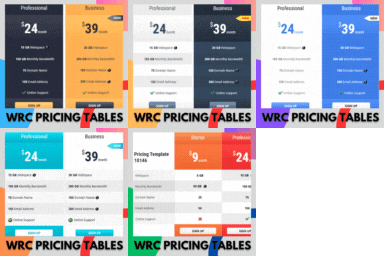
Responsive CSS3 pricing tables design to present features and prices of different products. Display pricing tables or comparison table by shortcode.
Helps you to earn more affiliate money!

By ZealousWeb
Generate PDF using Contact Form 7 Plugin makes it simple to create PDFs for downloads, viewing, or sending as attachments after form submissions.

By Mahdi Yazdani
Add custom HTML data attributes to core WordPress blocks directly from the block editor sidebar — no coding required.

Build professional websites faster with ready-made pages and sections, plus flexible layout, typography, color, and spacing controls.
CHOOSE WHAT YOUR WEBSITE NEEDS
Start with the task you need to solve. Compare features, WordPress and PHP requirements, update history and the author’s documentation. Test changes on a private copy and avoid adding several plugins for the same job.
This independent directory displays plugin information on WebFulHost and links to the official source. Packages are not mirrored or installed here. A plugin can include paid extensions or services with separate terms from its author.
