Essential elements for modern websites. Add buttons, sliders, heroes, maps, images, carousels, features, icons, more. Create dynamic pages easily.
★ 4.9/5 (134)400,000+ active installations
- Version
- 1.76.0
- WordPress
- 4.2+
- PHP
- 7.0.0+
- Updated
- 31 Oct 2026
View plugin details ↗Smart and lightweight Contact Form 7 data exporter. Export your CF7 or CFDB7 submissions to CSV with advanced filtering options.
★ 5.0/5 (1)500+ active installations
- Version
- 1.0.2
- WordPress
- 6.3+
- PHP
- 7.0+
- Updated
- 6 Jul 2026
View plugin details ↗Add a fully customizable digital signature pad to any Contact Form 7 form. Capture handwritten e-signatures, save them as PNG images, and include them …
★ 3.0/5 (2)300+ active installations
- Version
- 1.0
- WordPress
- 5.5+
- PHP
- 7.0+
- Updated
- 29 Jun 2026
View plugin details ↗Easily display Contact Form 7 Entries/Submissions on your site frontend.
★ 4.6/5 (17)1,000+ active installations
- Version
- 3.2.6
- WordPress
- 5.0+
- PHP
- 7.0+
- Updated
- 25 Sep 2026
View plugin details ↗Instantly produce a legally binding PDF WordPress contract from a WP Forms contact form submission. Digital Signature Pad. Proposal.
★ 4.4/5 (5)800+ active installations
- Version
- 2.0.4
- WordPress
- 4.5+
- Updated
- 19 Oct 2026
View plugin details ↗Send Contact Form 7, WPForms, Elementor, Ninja Forms, Contact Form Entries Plugin and many other contact form submissions to Zendesk.
★ 5.0/5 (13)400+ active installations
- Version
- 1.1.8
- WordPress
- 3.8+
- PHP
- 5.3+
- Updated
- 6 Sep 2026
View plugin details ↗Add an interactive star rating field to any Contact Form 7 form. Choose from 12 rating icon styles, set a default star value, and collect ratings via …
★ 2.3/5 (3)800+ active installations
- Version
- 1.0
- WordPress
- 5.5+
- PHP
- 7.0+
- Updated
- 29 Jun 2026
View plugin details ↗Connect Gravity Forms to Brevo (Sendinblue). Sync form fields with Brevo attributes and automatically generate contacts in specified lists.
★ 4.8/5 (5)1,000+ active installations
- Version
- 2.6.2
- WordPress
- 6.0+
- PHP
- 7.4+
- Updated
- 24 Aug 2026
View plugin details ↗Get better WordPress login security; add two-factor authentication (2FA) for all your users with this easy-to-use plugin.
★ 4.7/5 (184)100,000+ active installations
- Version
- 4.3.0
- WordPress
- 5.7+
- PHP
- 7.4+
- Updated
- 10 Nov 2026
View plugin details ↗Build contact forms, lead capture forms, and multi-step forms in WordPress — with email automation, conditional logic, and spam protection built in.
★ 5.0/5 (7)200+ active installations
- Version
- 3.3.0
- WordPress
- 5.6+
- PHP
- 7.0+
- Updated
- 27 Oct 2026
View plugin details ↗Lightweight WordPress forms with conditional logic, multi-step, SMTP, webhooks, Brevo & Mailchimp sync, file uploads, spam protection, and inbox.
★ 5.0/5 (3)100+ active installations
- Version
- 1.12.5
- WordPress
- 6.0+
- PHP
- 7.4+
- Updated
- 12 Nov 2026
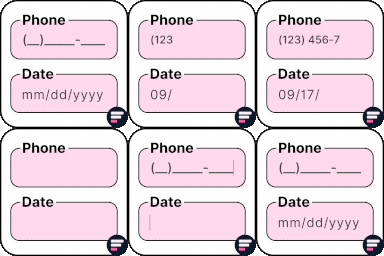
View plugin details ↗Add input masks to Elementor Pro or Hello Plus form fields - phone, date, time, credit card, CPF, CNPJ, CEP & more for accurate entries.
★ 4.1/5 (18)10,000+ active installations
- Version
- 2.7.4
- WordPress
- 5.5+
- PHP
- 7.4+
- Updated
- 1 Sep 2026
View plugin details ↗