By Monowar Hossain (devmonowar)
Showcase customer testimonials and client reviews in beautiful grids, carousels, cards and more. Lightweight, block-ready and built for social proof.
★ 5.0/5 (1)30+ active installations
- Version
- 2.1.2
- WordPress
- 6.5+
- PHP
- 7.4+
- Updated
- 31 Oct 2026
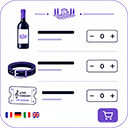
View plugin details ↗Sell products, services, events, courses and meals with a complete order form, Stripe, myPOS & TWINT payments, delivery, pickup and more.
70+ active installations
- Version
- 3.3.3
- WordPress
- 5.9+
- PHP
- 7.4+
- Updated
- 28 Nov 2026
View plugin details ↗
By Polar Line Services LLC
Create stunning, mobile-responsive digital restaurant menus with drag-and-drop builder, WooCommerce integration, and multi-currency support.
0+ active installations
- Version
- 1.0.0
- WordPress
- 5.0+
- PHP
- 7.4+
- Updated
- 23 Nov 2025
View plugin details ↗Restaurant table reservations on your own website. No per-cover fees, no monthly platform bill, and the guest list stays yours.
0+ active installations
- Version
- 1.1.1
- WordPress
- 6.4+
- PHP
- 8.1+
- Updated
- 25 Nov 2026
View plugin details ↗Table reservations on your own site for restaurants, cafés and sports bars. Show your menu and events too. Free up to 25 bookings a month per venue.
0+ active installations
- Version
- 0.2.0
- WordPress
- 6.3+
- PHP
- 7.4+
- Updated
- 28 Nov 2026
View plugin details ↗Speaker Lite is a WordPress Plugin designed to converts website page content to human-like speech on more than 400 voices across 40+ languages
★ 2.3/5 (3)20+ active installations
- Version
- 1.3.0
- WordPress
- 6.0+
- PHP
- 8.1+
- Updated
- 7 Jul 2026
View plugin details ↗Guests pick their exact table on your real floor plan, deposits cut no-shows, and you pay no per-cover fees. Your bookings, your guests, your site.
0+ active installations
- Version
- 1.0.5
- WordPress
- 6.0+
- PHP
- 7.4+
- Updated
- 28 Nov 2026
View plugin details ↗Send WooCommerce orders straight to your Clover POS, import your Clover menu, and push product changes to Clover. No more retyping orders.
10+ active installations
- Version
- 1.0.19
- WordPress
- 5.8+
- PHP
- 7.4+
- Updated
- 25 Nov 2026
View plugin details ↗Unlimited customer support tool that allows visitors to engage using Viber.
300+ active installations
- Version
- 2.0.0
- WordPress
- 5.0+
- Updated
- 23 May 2026
View plugin details ↗Add an AI receptionist to WordPress: a chat widget that answers enquiries, online booking and ordering embeds, and automatic contact-form forwarding.
0+ active installations
- Version
- 1.0.5
- WordPress
- 5.8+
- PHP
- 7.4+
- Updated
- 24 Oct 2026
View plugin details ↗Online table reservations and your digital menu on your restaurant's WordPress site, with a shortcode or a block.
0+ active installations
- Version
- 1.0.0
- WordPress
- 6.0+
- PHP
- 7.4+
- Updated
- 25 Nov 2026
View plugin details ↗Add pickup and delivery ordering, table reservations, and membership passes to your restaurant website with StickyQR.
0+ active installations
- Version
- 1.0.0
- WordPress
- 6.4+
- PHP
- 7.4+
- Updated
- 3 Jul 2026
View plugin details ↗