
Country Access Blocker
By Valeri Kluger
Block or allow website visitors from specific countries based on IP geolocation.
★ 5.0/5 (3)1,000+ active installations
- Version
- 1.6
- WordPress
- 5.0+
- Updated
- 24 Jan 2026
WORDPRESS RESOURCES
Explore public plugin information from the official WordPress.org directory. Compare what a plugin does, its requirements and update history before adding it to your website.
Explore WordPress hosting →6,251 matching plugins reported by WordPress.org · Page 15 of 50
Source: WordPress.org
Data refreshed 25 Nov 2026 03:38 UTC
By Valeri Kluger
Block or allow website visitors from specific countries based on IP geolocation.

By Marios Alexandrou
At-a-glance diagnostic and security info displayed on your site's plugin page about the plugins you have installed (both active and inactive).

By Camille V
Version 2.3.5 Geolocate your posts and display them on an interactive OpenStreetMap map using a simple shortcode. Customize your markers and map.

By Jose Mortellaro
Retains up to three versions when you update a plugin. It works with premium and custom plugins too.
By Jelle Roorda
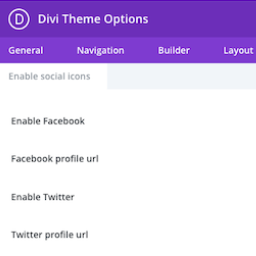
This plugin adds the ability to add more social icons to your website when using the Divi theme.

By Filipe Seabra
Show installment prices and a discounted cash price on your WooCommerce product lists and product pages.
Push Notifications for WP - Self Hosted Web Push Notifications makes it easy to send Web Push notifications to your users for FREE with 2 minutes setu …

By Matt Miller
Easily password protect the child pages/posts of a post/page that is password protected.
Responsive image gallery block for Gutenberg – photo galleries with grid & Polaroid layouts, albums, lightbox popups, and Pro Masonry & 3D layouts.

By Mystery Themes
One Click Demo Importer For Mystery Themes official themes demo content, customization options, widgets and theme settings.

By GoDaddy
CoBlocks is a suite of page builder WordPress blocks for Gutenberg, with 10+ new blocks and a true page builder experience with rows and columns.

By Samuel Aguilera
A friendly SMTP plugin for WordPress. No third-party, simply using WordPress native possibilities.
CHOOSE WHAT YOUR WEBSITE NEEDS
Start with the task you need to solve. Compare features, WordPress and PHP requirements, update history and the author’s documentation. Test changes on a private copy and avoid adding several plugins for the same job.
This independent directory displays plugin information on WebFulHost and links to the official source. Packages are not mirrored or installed here. A plugin can include paid extensions or services with separate terms from its author.