

Posts Table with Search & Sort
By Barn2 Plugins
Automatically create searchable and sortable tables of your posts.
★ 4.6/5 (19)3,000+ active installations
- Version
- 1.4.15
- WordPress
- 6.1+
- PHP
- 7.4+
- Updated
- 2 Nov 2026
WORDPRESS RESOURCES
Explore public plugin information from the official WordPress.org directory. Compare what a plugin does, its requirements and update history before adding it to your website.
Explore WordPress hosting →1,501 matching plugins reported by WordPress.org · Page 15 of 50
Source: WordPress.org
Data refreshed 29 Nov 2026 16:57 UTC
By Barn2 Plugins
Automatically create searchable and sortable tables of your posts.
By Pektsekye
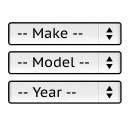
It will find products for selected make and model.

By Qode
Qi Blocks is the largest collection of Gutenberg blocks developed by Qode Interactive.

By Nitin Prakash
Thank You Page for WooCommerce lets you create custom Thank You page or Thank You URL, giving customers a more personalized post‑purchase experience.
Increase loyalty & sales by letting customers create, manage & share multiple wishlists on your WooCommerce store.
🚀 Boost your Woocommerce sales with Quantity Discounts, Quantity Breaks, Product Bundles, Volume Discounts and Dynamic Pricing.

By Unstoppable Solutions
Take full control of your WooCommerce product display order with intuitive drag-and-drop sorting for shop pages and categories.
A store editor plugin for editing all WooCommerce store and product pages, cart, checkout and user account pages, all within the WordPress Customizer

By David Rosendo
Every swatch option free, plus a full gallery per color that every size reuses. Switch from your current plugin in one click, with undo.

By Booking Activities Team
Reservation system specialized in activities: sports, leisure, courses, events, tourism, and more! Works great with WooCommerce.

By Steve Truman
Add a World Class Compare Products Feature to your WooCommerce store today with the Compare Products for WooCommerce plugin.
Product bundles, mix and match and build a box for WooCommerce, plus frequently bought together with sizes and colours, and buy one get one free.
CHOOSE WHAT YOUR WEBSITE NEEDS
Start with the task you need to solve. Compare features, WordPress and PHP requirements, update history and the author’s documentation. Test changes on a private copy and avoid adding several plugins for the same job.
This independent directory displays plugin information on WebFulHost and links to the official source. Packages are not mirrored or installed here. A plugin can include paid extensions or services with separate terms from its author.



