

Simple NoAI and NoImageAI
By the9mm
This plugin very simply adds a line of code to your header that tells AIs not to use anything on your website for indexing.
★ 5.0/5 (1)200+ active installations
- Version
- 1.6.7
- WordPress
- 1.2+
- Updated
- 16 Jun 2026
WORDPRESS RESOURCES
Explore public plugin information from the official WordPress.org directory. Compare what a plugin does, its requirements and update history before adding it to your website.
Explore WordPress hosting →10,000 matching plugins reported by WordPress.org · Page 15 of 50
Source: WordPress.org
Data refreshed 22 Nov 2026 14:02 UTC
By the9mm
This plugin very simply adds a line of code to your header that tells AIs not to use anything on your website for indexing.

By Sharaz Shahid
Simple Sticky add to cart for WooCommerce show on product page top and bottom with full color customization and much more option.

By Martin von Berg
Provides an easy was to add a Lightbox to Images in Gutenberg image, gallery and Media-with-Text-Blocks. Additionally to Youtube and HTML5 Videos but …

By WP Media
Back up, restore, and protect your WordPress website with automated backups, cloud storage, one-click recovery, and AI-assisted backup management.

Get a fast contact form plugin. Create advanced forms using drag and drop form builder with all smart features.
By Francesco Martini
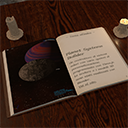
Embed and display Ebooks in your website.

By Spacetime
Manage Google AdSense ads, banners, ad rotation, sticky widgets, AMP ads, ads.txt, tracking, header and footer code, PHP code, global custom fields

By Glen Don Mongaya
This simple plugin create Drag & Drop or choose Multiple File upload in your Confact Form 7 Forms.

By Emre Vona
The simplest and fastest WP Cache system

By Ali Hossain
A lightweight WordPress plugin that adds a customizable "Back to Top" button with a smooth circular progress ring.

By topdevs.net
Embed Meta™ Page content without slowing down your site or loading third-party scripts before user interaction.

By Valerii Bohdanov
Simple Lazy Load for embedded video from YouTube and Vimeo
CHOOSE WHAT YOUR WEBSITE NEEDS
Start with the task you need to solve. Compare features, WordPress and PHP requirements, update history and the author’s documentation. Test changes on a private copy and avoid adding several plugins for the same job.
This independent directory displays plugin information on WebFulHost and links to the official source. Packages are not mirrored or installed here. A plugin can include paid extensions or services with separate terms from its author.