

Show client logos and WooCommerce brand logos in a responsive logo slider, carousel, grid or flexbox layout, with a Gutenberg block or shortcode.
★ 4.5/5 (61)10,000+ active installations
- Version
- 6.3.0
- WordPress
- 5.8+
- PHP
- 7.4+
- Updated
- 19 Nov 2026
WORDPRESS RESOURCES
Explore public plugin information from the official WordPress.org directory. Compare what a plugin does, its requirements and update history before adding it to your website.
Explore WordPress hosting →1,009 matching plugins reported by WordPress.org · Page 15 of 50
Source: WordPress.org
Data refreshed 20 Nov 2026 02:25 UTC
Show client logos and WooCommerce brand logos in a responsive logo slider, carousel, grid or flexbox layout, with a Gutenberg block or shortcode.
Load Flaticon webfonts into WordPress and use icons anywhere with simple HTML tags. Loads only the essential fonts for fast performance.
By safelayout
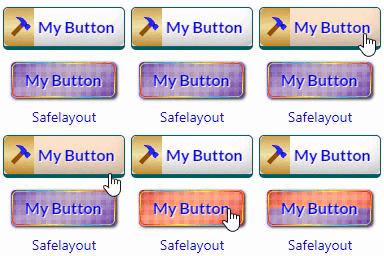
Beautiful CSS buttons in Gutenberg, Elementor & Classic Editor. Call to Action buttons with inline SVGs, click animations, after-click loading.

By termageddon
The most comprehensive cookie consent solution for WordPress. Automatically show consent banners based on visitor location with smart geolocation targ …
Build responsive sliders and carousels in the block editor - image, video, post, testimonial, logo and before-after slider blocks.
Create fast, interactive 360° virtual tours with hotspots, floor plans, scene navigation, and a modern React-powered builder.

By Fahad Mahmood
A documents management tool for education portals.

By A WP Life
Create filterable portfolio galleries with photos, videos, category filters in masonry layouts. Supports Gutenberg blocks and Elementor widgets.
Create a responsive portfolio grid with a Filterable portfolio grid, portfolio gallery and portfolio slider for WordPress, Elementor and lightbox.

By Noor Alam
Best WordPress scroll to top plugin. Fully customizable back to top button with smooth scrolling, keyboard shortcut, and advanced styling.

By WPManageNinja
Feature Rich and Super Fast Support and Customer Ticketing System for WordPress.

By FaeCursor
Bring your WordPress site to life with interactive cursor, keyboard, and screen effects — built for smooth performance and full control.
CHOOSE WHAT YOUR WEBSITE NEEDS
Start with the task you need to solve. Compare features, WordPress and PHP requirements, update history and the author’s documentation. Test changes on a private copy and avoid adding several plugins for the same job.
This independent directory displays plugin information on WebFulHost and links to the official source. Packages are not mirrored or installed here. A plugin can include paid extensions or services with separate terms from its author.



