
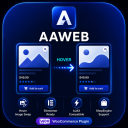
AAWEB Product Image Hover Swap for WooCommerce
By antoapweb
Swap WooCommerce product images on hover using the second gallery image.
40+ active installations
- Version
- 1.3.12
- WordPress
- 6.7+
- PHP
- 8.0+
- Updated
- 10 Oct 2026
WORDPRESS RESOURCES
Explore public plugin information from the official WordPress.org directory. Compare what a plugin does, its requirements and update history before adding it to your website.
Explore WordPress hosting →1,775 matching plugins reported by WordPress.org · Page 16 of 50
Source: WordPress.org
Data refreshed 24 Nov 2026 13:44 UTC
By antoapweb
Swap WooCommerce product images on hover using the second gallery image.
Design pixel-perfect Headers, Footers, Mega Menus, Popups, Archive, Single, and 404 templates visually with Elementor - no coding needed.
Turn off WordPress features you don't use: XML-RPC, Heartbeat, emojis, comments and more. Every switch says what it might break.

By QuantumCloud
AI Infographic maker with charts and graphs. Make Listicles, HTML infographics quickly with OpenAI ChatGPT.

By Mat Bao Corporation
All-in-one WordPress toolkit: contact channels, SMTP, maintenance, AI, spam filter, WooCommerce — one plugin.

By Hans & Friends
Import external and hotlinked images into your Media Library in bulk. Finds them in posts, Elementor, widgets and theme and replaces the URLs.

By Brainstorm Force
Lightweight SEO assistant for meta tags, schema and structured data, XML sitemaps, Open Graph previews, robots.txt, and Search Console.

By seosbg
Visitor statistics that separate real people from bots, plus Googlebot and AI crawler tracking, Core Web Vitals and SEO meta tags.

By Lester Chan
Adds an AJAX poll system to your WordPress blog. You can also easily add a poll into your WordPress's blog post/page.

By Tribulant Software
Feature content in a JavaScript powered slideshow gallery showcase on your WordPress website.
Easy to show posts, pages, custom posts in customizable grid, list, slider, accordion... Available as Widgets (for Elementor), Shortcode, and Blocks.

Autonomous AI Connector (MCP Server), Advanced Post Editor, Free AI Writer, Complete SEO Suite, Rank Tracker, Sitemaps, and Image SEO.
CHOOSE WHAT YOUR WEBSITE NEEDS
Start with the task you need to solve. Compare features, WordPress and PHP requirements, update history and the author’s documentation. Test changes on a private copy and avoid adding several plugins for the same job.
This independent directory displays plugin information on WebFulHost and links to the official source. Packages are not mirrored or installed here. A plugin can include paid extensions or services with separate terms from its author.


