Full-featured FAQ and accordion plugin with advanced search, simple UI and easy-to-use FAQ blocks and shortcodes.
★ 4.6/5 (440)30,000+ active installations
- Version
- 2.6.0
- WordPress
- 6.0+
- PHP
- 7.4+
- Updated
- 13 Oct 2026
View plugin details ↗Redirect any post or page — with a native block or a classic shortcode. Optional delay. Optional "redirecting" message. Zero configuration.
★ 4.3/5 (32)10,000+ active installations
- Version
- 1.1.3
- WordPress
- 6.0+
- Updated
- 25 Aug 2026
View plugin details ↗
By Bogdan Bendziukov · Pluginarium
Browser-based image compression & WebP—no API keys or quotas. Works on any hosting.
★ 5.0/5 (6)3,000+ active installations
- Version
- 1.8.3.2
- WordPress
- 6.0+
- PHP
- 7.4+
- Updated
- 19 Nov 2026
View plugin details ↗A WordPress plugin to create block themes.
★ 4.8/5 (38)20,000+ active installations
- Version
- 2.10.2
- WordPress
- 6.8+
- PHP
- 7.4+
- Updated
- 1 Oct 2026
View plugin details ↗Animate WordPress blocks with reveal, scroll, mouse and loop effects, set in the block settings.
★ 4.6/5 (46)6,000+ active installations
- Version
- 3.8.1
- WordPress
- 6.6+
- PHP
- 8.3+
- Updated
- 17 Nov 2026
View plugin details ↗Video player block for Gutenberg – embed and play YouTube, Vimeo, and self-hosted HTML5 videos in a responsive, customizable player.
★ 5.0/5 (8)2,000+ active installations
- Version
- 2.2.1
- WordPress
- 6.5+
- PHP
- 7.4+
- Updated
- 17 Nov 2026
View plugin details ↗Create responsive image and content carousels in Gutenberg. Captions, autoplay, effects, navigation – build elegant sliders with no code.
★ 5.0/5 (6)7,000+ active installations
- Version
- 1.2.3
- WordPress
- 6.5+
- PHP
- 7.4+
- Updated
- 30 Aug 2026
View plugin details ↗Fast and flexible AJAX product filters for WooCommerce. Filter by categories, attributes, price, tags, rating, and more. No page reloads.
★ 4.7/5 (387)50,000+ active installations
- Version
- 3.5
- WordPress
- 6.3+
- PHP
- 7.4+
- Updated
- 16 Nov 2026
View plugin details ↗Find text in WordPress posts, pages, Elementor, Site Editor templates, patterns, navigation, and custom post types.
★ 5.0/5 (1)70+ active installations
- Version
- 1.0.2
- WordPress
- 7.0+
- PHP
- 8.0+
- Updated
- 29 Sep 2026
View plugin details ↗1000+ news, magazine & blog starter templates, 1-click demo importer & site migration tool by AF Themes for Elementor, Gutenberg & WooCommerce.
★ 4.3/5 (6)10,000+ active installations
- Version
- 4.5.0
- WordPress
- 5.6+
- PHP
- 7.4+
- Updated
- 4 Nov 2026
View plugin details ↗Embed Instagram, TikTok, Pinterest, and Twitter feeds easily using Gutenberg blocks.
★ 5.0/5 (1)600+ active installations
- Version
- 1.0.7
- WordPress
- 6.5+
- PHP
- 7.1+
- Updated
- 17 Nov 2026
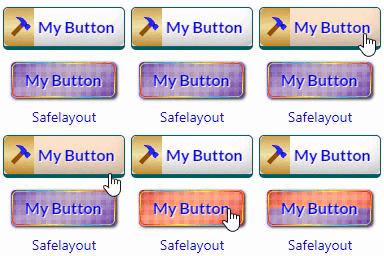
View plugin details ↗Beautiful CSS buttons in Gutenberg, Elementor & Classic Editor. Call to Action buttons with inline SVGs, click animations, after-click loading.
★ 5.0/5 (3)100+ active installations
- Version
- 1.3.1
- WordPress
- 6.5+
- PHP
- 7.0+
- Updated
- 13 Nov 2026
View plugin details ↗