

120+ Elementor widgets, AI tools, Mega Menu, WooCommerce, Header Footer & Popup Builder, Blog Builder & 1000+ templates. Connect any MCP AI agent.
★ 4.6/5 (388)100,000+ active installations
- Version
- 6.6.1
- WordPress
- 6.0+
- PHP
- 7.4+
- Updated
- 16 Nov 2026
WORDPRESS RESOURCES
Explore public plugin information from the official WordPress.org directory. Compare what a plugin does, its requirements and update history before adding it to your website.
Explore WordPress hosting →798 matching plugins reported by WordPress.org · Page 16 of 50
Source: WordPress.org
Data refreshed 23 Nov 2026 20:55 UTC
120+ Elementor widgets, AI tools, Mega Menu, WooCommerce, Header Footer & Popup Builder, Blog Builder & 1000+ templates. Connect any MCP AI agent.

By Manny Rodrigues
Conveniently select Gravity Form CSS Ready Classes from your form fields Appearance tab.

By ZealousWeb
Generate PDF using Contact Form 7 Plugin makes it simple to create PDFs for downloads, viewing, or sending as attachments after form submissions.
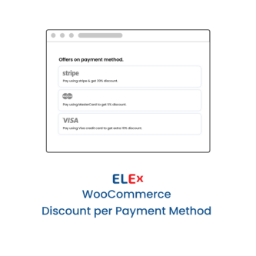
By ELEXtensions
It will be a pleasant little surprise for customers if you offer a discount based on the payment method they have chosen on the Checkout page.

By Stylemix
WP Cost Calculator is a simple and powerful tool that lets you create price estimation forms. Easily give your clients information about your services …

By Themosaurus
Verify your BuddyPress members and display a twitter-like verified badge on the front-end.

By MOHIT GOYAL
Add and manage essential HTTP security headers with ease. Protect your WordPress site from XSS, clickjacking, and other common vulnerabilities.
Protect WordPress website – allow and deny access for certain IP addresses, hostnames, etc.

By Walter Pinem
Make your audience contact you directly and easily on WhatsApp with a single click.
AI tooltip plugin that turns jargon, abbreviations and confusing terms into plain English. Readers highlight any word, get an instant explanation.

By Ayon M
A simple & lightweight plugin to enable the classic editor on WordPress with advanced configuration options.
Build WordPress directories with Business Data imports, maps, search, dashboards and analytics, plus AI and MCP workflows.
CHOOSE WHAT YOUR WEBSITE NEEDS
Start with the task you need to solve. Compare features, WordPress and PHP requirements, update history and the author’s documentation. Test changes on a private copy and avoid adding several plugins for the same job.
This independent directory displays plugin information on WebFulHost and links to the official source. Packages are not mirrored or installed here. A plugin can include paid extensions or services with separate terms from its author.


