

List every domain you own, give each its own landing page and real mapped domain, and manage offers from WordPress.
★ 5.0/5 (6)200+ active installations
- Version
- 3.10.1
- WordPress
- 5.9+
- PHP
- 7.4+
- Updated
- 23 Nov 2026
WORDPRESS RESOURCES
Explore public plugin information from the official WordPress.org directory. Compare what a plugin does, its requirements and update history before adding it to your website.
Explore WordPress hosting →7,677 matching plugins reported by WordPress.org · Page 16 of 50
Source: WordPress.org
Data refreshed 23 Nov 2026 04:51 UTC
List every domain you own, give each its own landing page and real mapped domain, and manage offers from WordPress.
AI website builder for Elementor. The agent already knows WordPress: describe a page in chat, watch it build live, keep talking to refine.

By Md Jahid Shah
Add and manage custom JSON-LD schema in WordPress without SEO plugin limitations, duplicate schema conflicts, or unnecessary overhead.

Powered Cache is the most powerful caching and performance suite for WordPress. Easily Improve PageSpeed & Web Vitals Score.
A collection of dynamic post blocks to quickly build stunning news, magazine, and blog websites.

Templately is an AI-powered WordPress templates cloud for Elementor and Gutenberg that offers 6,500+ ready template designs for a wide range of niches
By Web Builder 143
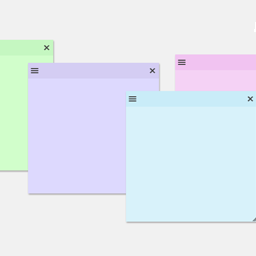
Create sticky notes in your WP admin for reminders and to-dos. Restrict notes by user roles and disable them on specific pages.

By WebCartisan
Customize WooCommerce product page with Single Product Page Customizer. Add variation swatches, quick checkout, quantity buttons, Ajax add to cart, cu …
Easily assign different menus to pages, posts, user roles, devices, and custom URLs using advanced conditional menu visibility rules.

By Tim Strifler
Exclusive Addons is one of the Best Elementor Addons With 90+ Elementor Free & Pro Widgets with all the customizations options you ever imagined.

By Ignite Marketing
Enhance credibility with author boxes and pages optimized for Google's E-E-A-T. Supports multiple authors, social links, and schema markup.

By Clifton Griffin
Create content templates for your posts and pages. When creating a new post or page use one of your content templates as the starting point!
CHOOSE WHAT YOUR WEBSITE NEEDS
Start with the task you need to solve. Compare features, WordPress and PHP requirements, update history and the author’s documentation. Test changes on a private copy and avoid adding several plugins for the same job.
This independent directory displays plugin information on WebFulHost and links to the official source. Packages are not mirrored or installed here. A plugin can include paid extensions or services with separate terms from its author.


