Add icons to WordPress navigation menus easily — pick from Font Awesome, Dashicons, image icons & more. Style menu items with custom colors & sizes.
★ 4.9/5 (851)100,000+ active installations
- Version
- 0.13.27
- WordPress
- 4.7+
- PHP
- 7.1+
- Updated
- 12 Nov 2026
View plugin details ↗Sell subscription products and accept recurring payments easily in WooCommerce with flexible billing schedules and HPOS support.
0+ active installations
- Version
- 2.0.0
- WordPress
- 6.5+
- PHP
- 7.4+
- Updated
- 16 Nov 2026
View plugin details ↗A (unofficial) WordPress plugin to report PHP errors and Browser (JavaScript) errors to Sentry.
★ 4.9/5 (16)10,000+ active installations
- Version
- 8.12.0
- WordPress
- 4.4+
- PHP
- 7.2.5+
- Updated
- 18 Aug 2026
View plugin details ↗This plugin allows you to order human translations for your pages and posts using Supertexts professional translation services.
★ 5.0/5 (2)60+ active installations
- Version
- 4.26
- WordPress
- 4.0+
- Updated
- 13 May 2025
View plugin details ↗Build forms directly in the block editor, collect submissions in a built-in inbox, and send them on by email or webhook.
0+ active installations
- Version
- 1.0.12
- WordPress
- 6.5+
- PHP
- 7.4+
- Updated
- 28 Sep 2026
View plugin details ↗Build landing pages with AI inside WordPress — bring your own AI key. Real HTML/CSS you can edit live. No drag-and-drop, no builder lock-in.
10+ active installations
- Version
- 3.5.3
- WordPress
- 5.9+
- PHP
- 7.4+
- Updated
- 17 Nov 2026
View plugin details ↗Automatic Triman and per-product sorting instructions (Info-tri) to help your WooCommerce store meet AGEC law display requirements.
0+ active installations
- Version
- 0.1.0
- WordPress
- 6.6+
- PHP
- 8.2+
- Updated
- 5 Jul 2026
View plugin details ↗Formerly known as "Instagram Feed", this is the best plugin for displaying Instagram feeds on WordPress. It also supports Instagram reels.
★ 4.5/5 (305)80,000+ active installations
- Version
- 5.0.15
- WordPress
- 4.7+
- PHP
- 5.6+
- Updated
- 17 Nov 2026
View plugin details ↗Defines dynamic prices for products. Create powerful and flexible rules to decide when to apply them.
0+ active installations
- Version
- 2.0.0
- WordPress
- 6.8+
- PHP
- 7.4+
- Updated
- 8 Oct 2026
View plugin details ↗Add a heart button so customers can save products to a wishlist and manage it anytime from their My Account page.
0+ active installations
- Version
- 1.0.8
- WordPress
- 6.0+
- PHP
- 7.0+
- Updated
- 29 Jul 2026
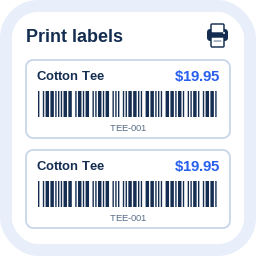
View plugin details ↗Create, customize and print barcode labels for products and variations in stores powered by WooCommerce.
10+ active installations
- Version
- 0.4.5
- WordPress
- 6.4+
- PHP
- 7.4+
- Updated
- 11 Oct 2026
View plugin details ↗