

One-Click Post Checkout Registration for WooCommerce
By Ali Khallad
Reduce abandonment and allows guest users to register after checkout with one-click.
★ 5.0/5 (4)50+ active installations
- Version
- 2.1.1
- WordPress
- 6.5+
- PHP
- 7.4+
- Updated
- 11 Aug 2026
WORDPRESS RESOURCES
Explore public plugin information from the official WordPress.org directory. Compare what a plugin does, its requirements and update history before adding it to your website.
Explore WordPress hosting →10,000 matching plugins reported by WordPress.org · Page 16 of 50
Source: WordPress.org
Data refreshed 24 Nov 2026 01:13 UTC
By Ali Khallad
Reduce abandonment and allows guest users to register after checkout with one-click.

By Matt Cromwell
Quickly reorder posts, pages, and custom post types using an intuitive drag-and-drop interface. Reordering supports auto-sorting and nested pages.

By minas1500
Automate your WordPress content creation with AI-powered text and image generation. Support for OpenAI, Google Gemini, Pollinations, and Leonardo.AI.
By Scott Reilly
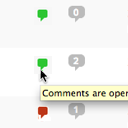
Conveniently close or open comments for a post or page with one click from the admin listing of posts.

By Michael Nelson
Make printing your blog easy and impressive. For you & your visitors. One post or thousands.

By Barn2 Plugins
Easy Post Types and Fields makes it quick and easy to add custom post types, custom fields, and taxonomies to your WordPress website.
A collection of dynamic post blocks to quickly build stunning news, magazine, and blog websites.

By Zinn Digital®
Multilingual WordPress, one post per language: linked translations of posts, pages, terms, media, widgets and the site title.

By AmentoTech Private Limited
WPGuppy is a well thought and clinically designed and developed WordPress chat plugin which has been engineered to fulfill the market needs.
Elementor templates, Header footer builder, Elementor Post Grid, Woocommerce Grid builder, Slider, Forms, Gallery, Nav menu addons, Elementor widgets.

By Nextendweb
Responsive slider plugin to create sliders in visual editor easily. Build beautiful image slider, layer slider, video slider, post slider, and more.

By Vikas Sharma
Breadcrumbs, content control, header/footer scripts, comment control, duplicate posts and script optimisation — all from one settings screen.
CHOOSE WHAT YOUR WEBSITE NEEDS
Start with the task you need to solve. Compare features, WordPress and PHP requirements, update history and the author’s documentation. Test changes on a private copy and avoid adding several plugins for the same job.
This independent directory displays plugin information on WebFulHost and links to the official source. Packages are not mirrored or installed here. A plugin can include paid extensions or services with separate terms from its author.

