
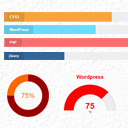
SKT Skill Bar
By Sonal S Sinha
Showcase skillsets that you are good at anywhere on your website using this plugin.
★ 4.1/5 (14)1,000+ active installations
- Version
- 3.1
- WordPress
- 5.0+
- PHP
- 7.4+
- Updated
- 29 Jun 2026
WORDPRESS RESOURCES
Explore public plugin information from the official WordPress.org directory. Compare what a plugin does, its requirements and update history before adding it to your website.
Explore WordPress hosting →8,896 matching plugins reported by WordPress.org · Page 16 of 50
Source: WordPress.org
Data refreshed 24 Nov 2026 17:42 UTC
By Sonal S Sinha
Showcase skillsets that you are good at anywhere on your website using this plugin.

By fatcatapps
Quiz Cat Lets You Create Beautiful Viral BuzzFeed-style Quizzes That Drive Social Shares & User Engagement. Set It Up In 2 Minutes.

By Brainstorm Force
1 WordPress funnel builder & WooCommerce checkout plugin. Boost AOV with one-click upsells, order bumps & high-converting checkout pages.

By Premmerce
This plugin has been developed for creating user roles from the WordPress admin area and assigning the arbitrary access rights to them.

By Forge12 Interactive GmbH
SilentShield – the invisible shield against spam. Spam is the weed of the internet. It clogs your forms, steals your time, and corrupts your data.

By datafeedr
Connect to the Datafeedr API.
Represent your data by symbols, such as bars, lines, or pie charts.

By Blobfolio
This plugin expands file-related security and sanity around the upload process.

By lordicon
Enhance Gutenberg pages with animated icons from Lordicon. Add motion and style with high performance.

By devowl.io GmbH
Organize uploaded media in folders, collections and galleries: A file manager for WordPress. Media management made easy with Real Media Library! (Alte …

By Techeshta
Layouts for WPBakery is a beautifully designed free layout for famous WordPress WPBakery page builders.

By Convertful Team
All the modern on-site conversion solutions, natively integrates with all modern Email Marketing Platforms.
CHOOSE WHAT YOUR WEBSITE NEEDS
Start with the task you need to solve. Compare features, WordPress and PHP requirements, update history and the author’s documentation. Test changes on a private copy and avoid adding several plugins for the same job.
This independent directory displays plugin information on WebFulHost and links to the official source. Packages are not mirrored or installed here. A plugin can include paid extensions or services with separate terms from its author.
