
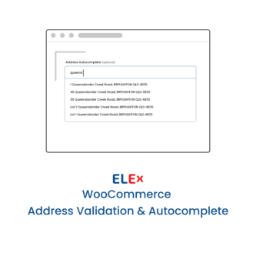
Simple and easy to use address validation & google address autocomplete plugin. Uses EasyPost, UPS, USPS, AddressFinder & Google APIs.
★ 4.2/5 (10)700+ active installations
- Version
- 1.8.8
- WordPress
- 3.0.1+
- Updated
- 24 Nov 2026
WORDPRESS RESOURCES
Explore public plugin information from the official WordPress.org directory. Compare what a plugin does, its requirements and update history before adding it to your website.
Explore WordPress hosting →8,358 matching plugins reported by WordPress.org · Page 17 of 50
Source: WordPress.org
Data refreshed 24 Nov 2026 23:55 UTC
Simple and easy to use address validation & google address autocomplete plugin. Uses EasyPost, UPS, USPS, AddressFinder & Google APIs.

By Start Booking Team
Online booking and scheduling for WordPress. Book services or classes with a modern and easy appointment booking calendar.

By Fanny Peneau
Display Google My Business reviews on your website for free. Improve credibility with full customization, categories, and flexible shortcode.

By ManageWP
A better way to manage dozens of WordPress websites.

By Arrow Design
Auto post WordPress posts to Facebook Business Pages with queueing and retries. Pro adds scheduling, featured images and additional post types.

By FAPI Business s.r.o.
Plugin FAPI pro jednoduchou správu členských sekcí na webu.
Save and manage Contact Form messages. Never lose important data.
Optimize and tweak WordPress by disable unused features. Improve performance, SEO and security using Clearfy — super easy, fast and zero code.
Enhance the power of your WordPress editor with the dynamic Gutenberg blocks by BlockArt Blocks. Build any layout imaginable.

By Nexiby LLC
Revix Reviews helps you collect, import, and display reviews—including Trustpilot and Google—with more platforms coming soon.

By blinkmetrics
Unlock growth with Custom Reporting Dashboards and automated KPI scorecards. BlinkMetrics simplifies business data analytics as we automatically pull …
The CRM for small businesses. Manage leads, invoicing, billing, email marketing, clients, contacts, quotes, automation. Works with WooCommerce too.
CHOOSE WHAT YOUR WEBSITE NEEDS
Start with the task you need to solve. Compare features, WordPress and PHP requirements, update history and the author’s documentation. Test changes on a private copy and avoid adding several plugins for the same job.
This independent directory displays plugin information on WebFulHost and links to the official source. Packages are not mirrored or installed here. A plugin can include paid extensions or services with separate terms from its author.



