Sidebar Login
By Mike Jolley
Easily add an ajax-enhanced login widget to your WordPress site sidebar.
★ 4.5/5 (78)9,000+ active installations
- Version
- 3.1.0
- WordPress
- 6.6+
- PHP
- 7.4+
- Updated
- 12 Oct 2026
WORDPRESS RESOURCES
Explore public plugin information from the official WordPress.org directory. Compare what a plugin does, its requirements and update history before adding it to your website.
Explore WordPress hosting →1,467 matching plugins reported by WordPress.org · Page 17 of 50
Source: WordPress.org
Data refreshed 21 Nov 2026 16:02 UTC
By Mike Jolley
Easily add an ajax-enhanced login widget to your WordPress site sidebar.
WPB Popup Form WordPress plugin will help you to create effective form popups. WPForms Popup form, Mailchimp popup, Opt-in, login popup.

By WP Inventory
Manage inventory in WordPress without WooCommerce. Unlimited items, custom fields, shortcode display. Trusted by 120,000+ sites since 2013.
By Rodrigo Bogdanowicz
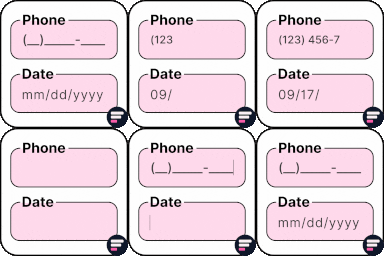
Apply input masks in Elementor form widget fields - phone, date, time, credit card, CPF, CNPJ, CEP & more for valid and error-free entries.
Insert PHP, JavaScript, CSS, HTML, ads & tracking code into WordPress headers, footers, pages & content with conditional logic — no theme editing.

By edoobox
Simplify event and course management with Edoobox, an intuitive online booking system.
Add hCaptcha, Honeypot, Redirection, and AI-powered form generation to Contact Form 7.

By wpbranddigital
A beautiful and lightweight progress bar block for the WordPress Gutenberg editor with smooth animations and full customization options.
Run a WordPress live streaming platform with WebRTC, HLS, RTMP, OBS/IP camera inputs, channels, chat, scheduling, memberships, and PPV.

By Hasan CALISIR
Nginx cache purge and preload for WordPress (FastCGI, Proxy, SCGI, uWSGI), plus a live Fail2Ban dashboard with attack maps and abuse reports.

By Easy Payment
Accept payments through UPI, Cards, and Net Banking — developed by an official PhonePe Partner.

By Shazzad Hossain Khan
Build lists the Query Loop can't: posts grouped by year, category or author, term lists and user directories — via block, shortcode or widget.
CHOOSE WHAT YOUR WEBSITE NEEDS
Start with the task you need to solve. Compare features, WordPress and PHP requirements, update history and the author’s documentation. Test changes on a private copy and avoid adding several plugins for the same job.
This independent directory displays plugin information on WebFulHost and links to the official source. Packages are not mirrored or installed here. A plugin can include paid extensions or services with separate terms from its author.