

Website builder and business growth toolkit: Gutenberg blocks, patterns, templates, popups, lead forms with an inbox, and WooCommerce blocks.
★ 4.6/5 (21)6,000+ active installations
- Version
- 2.2.30
- WordPress
- 6.7+
- PHP
- 7.4+
- Updated
- 25 Nov 2026
WORDPRESS RESOURCES
Explore public plugin information from the official WordPress.org directory. Compare what a plugin does, its requirements and update history before adding it to your website.
Explore WordPress hosting →777 matching plugins reported by WordPress.org · Page 17 of 50
Source: WordPress.org
Data refreshed 28 Nov 2026 18:27 UTC
Website builder and business growth toolkit: Gutenberg blocks, patterns, templates, popups, lead forms with an inbox, and WooCommerce blocks.
Build professional knowledge bases with unlimited docs, drag-and-drop editor, live search, and SEO optimization.
Get Premium level 60+ Free Elementor Widgets, 15+ Free Elementor Extensions, 500+ Free Themes & Templates for Elementor.

By Meks
Add some cool elements to your post/page content with flexible shortcodes.

By Liton Arefin
A powerful block collection for the WordPress block editor with 20+ blocks and 5+ extensions to build beautiful pages without writing code.

By Wow Elements
The most powerful free addons & widgets for Elementor. 175+ advanced features for responsive sites. Drag-and-drop, pixel-perfect, mobile friendly.

By maxfoundry
Responsive WordPress Gallery plugin with built in Slider and Lightbox

By omnipress
A powerful Gutenberg plugin with pre-built patterns, advanced blocks, and demo sites to speed up website creation using Full Site Editing.
By Ciprian Popescu
For site builders who need more than the core Tabs block: vertical tabs, accordion on mobile, shareable tab links, icons and style presets.
By CodeYatri
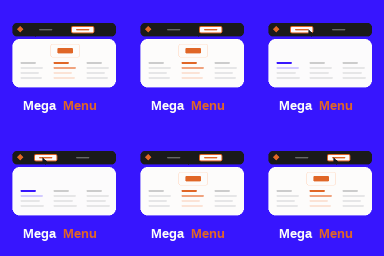
A powerful and customizable mega menu block for WordPress, supporting links, images, and rich block-based layouts.
Design professional news and magazine sites with post grid, slider, list layouts, advanced post filters, and pagination.

By Samir Haddad
Workflow tools for Bricks Builder: BEM classes, responsive viewport testing, CSS recipes, smart values and structure shortcuts.
CHOOSE WHAT YOUR WEBSITE NEEDS
Start with the task you need to solve. Compare features, WordPress and PHP requirements, update history and the author’s documentation. Test changes on a private copy and avoid adding several plugins for the same job.
This independent directory displays plugin information on WebFulHost and links to the official source. Packages are not mirrored or installed here. A plugin can include paid extensions or services with separate terms from its author.


