Advanced Elementor widgets for headings, buttons, icon boxes, and lists with flexible design and style controls.
★ 5.0/5 (1)10+ active installations
- Version
- 1.3.3
- WordPress
- 6.0+
- PHP
- 7.4+
- Updated
- 5 Jul 2026
View plugin details ↗Best all-in-one WordPress security plugin, uses HTTP & HSTS response headers to avoid vulnerabilities: XSS, injection, clickjacking. Force HTTP/HTTPS.
★ 4.9/5 (79)90,000+ active installations
- Version
- 5.3.6
- WordPress
- 4.7+
- PHP
- 7.4+
- Updated
- 30 Oct 2026
View plugin details ↗Appointment booking built only for salons, barbershops and spas. Set it up in minutes by chatting with the AI assistant.
★ 4.4/5 (187)2,000+ active installations
- Version
- 10.31.18
- WordPress
- 6.0+
- PHP
- 7.4.8+
- Updated
- 22 Nov 2026
View plugin details ↗A complete changelog and release note manager for your digital products or releasable projects.
★ 5.0/5 (3)200+ active installations
- Version
- 2.0.12
- WordPress
- 5.3+
- PHP
- 7.4+
- Updated
- 29 Aug 2026
View plugin details ↗Time Machine widget and block display a list of articles published in on this day in past, including offset in days, weeks and months.
★ 5.0/5 (2)40+ active installations
- Version
- 26.9.0
- WordPress
- 5.3+
- PHP
- 7.4+
- Updated
- 20 Sep 2026
View plugin details ↗
By Vernon Systems Limited
A widget plugin that provides access to eHive Search from a widget.
20+ active installations
- Version
- 2.4.0
- WordPress
- 3.3.1+
- PHP
- 5.3+
- Updated
- 25 May 2026
View plugin details ↗Easily manage events and sell tickets on your WordPress site. Sugar Calendar is easy-to-use, reliable, and exceptionally powerful. See for yourself.
★ 4.5/5 (24)10,000+ active installations
- Version
- 3.18.0
- WordPress
- 6.2+
- PHP
- 7.4+
- Updated
- 19 Nov 2026
View plugin details ↗This File Management & Digital Store plugin will help you to control file downloads & sell digital products from your WP site.
★ 4.1/5 (1,007)90,000+ active installations
- Version
- 3.3.78
- WordPress
- 5.3+
- Updated
- 19 Nov 2026
View plugin details ↗Best Elementor widgets & WooCommerce builder plugin for WordPress: 80+ free widgets, display conditions, dynamic tags, custom CSS/JS & AI automation.
★ 5.0/5 (1)10+ active installations
- Version
- 1.3.5
- WordPress
- 6.3+
- PHP
- 7.4+
- Updated
- 20 Nov 2026
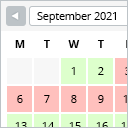
View plugin details ↗This booking calendar shows when something is booked or available. Use it to show when your holiday home is available for rent, for example.
★ 4.8/5 (227)10,000+ active installations
- Version
- 2.0.16
- WordPress
- 4.7+
- PHP
- 5.6+
- Updated
- 29 Jun 2026
View plugin details ↗Let clients schedule meetings with you online! No more back & forth emails
★ 3.9/5 (117)1,000+ active installations
- Version
- 4.6.7
- WordPress
- 5.2+
- Updated
- 22 Nov 2026
View plugin details ↗Enhance the power of your WordPress editor with the dynamic Gutenberg blocks by BlockArt Blocks. Build any layout imaginable.
★ 4.9/5 (16)10,000+ active installations
- Version
- 2.4.4
- WordPress
- 6.6+
- PHP
- 7.4+
- Updated
- 16 Nov 2026
View plugin details ↗