Schedule content expiry with auto-unpublish, redirect, content swap, and logging for posts, pages, custom post types, and WooCommerce products.
10+ active installations
- Version
- 1.10.0
- WordPress
- 6.9+
- PHP
- 7.4+
- Updated
- 2 Oct 2026
View plugin details ↗HT Blocks is a Gutenberg Blocks plugin which will provide you a collection of beautiful, customizable Gutenberg blocks for the new block editor.
★ 5.0/5 (2)20+ active installations
- Version
- 1.0.0
- WordPress
- 3.1+
- PHP
- 5.2.4+
- Updated
- 29 Apr 2019
View plugin details ↗Import Post Exists allows you to safely export and import WordPress content between environments while updating existing posts instead of creating dup …
0+ active installations
- Version
- 1.1.1
- WordPress
- 5.9+
- PHP
- 7.0+
- Updated
- 19 Nov 2026
View plugin details ↗Automatic internal linking for WordPress. Link keywords to posts and pages dynamically without editing content.
0+ active installations
- Version
- 2.1.10
- WordPress
- 6.3+
- PHP
- 7.4+
- Updated
- 2 Oct 2026
View plugin details ↗A privacy-first AI Site Reliability Engineer running entirely in the browser via WebLLM and the WordPress Abilities API.
0+ active installations
- Version
- 0.11.0
- WordPress
- 6.9+
- PHP
- 8.2+
- Updated
- 3 Oct 2026
View plugin details ↗Encrypted Post Type provides a custom post type where the content of each post is encrypted.
★ 1.0/5 (1)0+ active installations
- Version
- 1.0.0
- WordPress
- 5.5.0+
- PHP
- 7.2+
- Updated
- 5 Oct 2022
View plugin details ↗Illustrations Block enables you to add awesome SVG illustrations which you can customize directly from the new Editor (Gutenberg).
★ 4.6/5 (5)30+ active installations
- Version
- 1.0.2
- WordPress
- 5.3.2+
- PHP
- 5.5+
- Updated
- 7 Jan 2020
View plugin details ↗High-speed, secure database plugin for WordPress form data
★ 4.0/5 (4)20+ active installations
- Version
- 2.0.23
- WordPress
- 4.0+
- PHP
- 5.4+
- Updated
- 19 Jul 2022
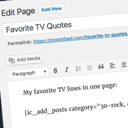
View plugin details ↗Easily add one or more posts to any page using simple shortcodes.
★ 4.4/5 (86)10,000+ active installations
- Version
- 1.4.4
- WordPress
- 3.0+
- Updated
- 13 May 2019
View plugin details ↗