CSS & JavaScript Toolbox
By wipeoutmedia
Add CSS, JavaScript, PHP and HTML code snippets to your site.
★ 4.8/5 (84)10,000+ active installations
- Version
- 12.0.7
- WordPress
- 5.0+
- PHP
- 7.4.0+
- Updated
- 26 Aug 2026
WORDPRESS RESOURCES
Explore public plugin information from the official WordPress.org directory. Compare what a plugin does, its requirements and update history before adding it to your website.
Explore WordPress hosting →10,000 matching plugins reported by WordPress.org · Page 17 of 50
Source: WordPress.org
Data refreshed 24 Nov 2026 17:05 UTC
By wipeoutmedia
Add CSS, JavaScript, PHP and HTML code snippets to your site.

By Mongoose Marketplace
The most popular way to display the Facebook Page Plugin on your WordPress website. Easy implementation using a shortcode or widget.
Display any RSS feed(s) in widget with news ticker effect in multiple tabs, thumbnails, customizable color themes and more.

Display a simple banner/bar at the top or bottom of your website. Now with multi-banner support.
Join millions who empower their websites with ElementsKit Elementor Addons. Get templates, & 100+ widgets like header-footer, mega menu, custom widget

By The WP Garden
Private and shared admin notes on posts, pages and custom post types. Editorial notes, team reminders and dashboard notes for WordPress teams.
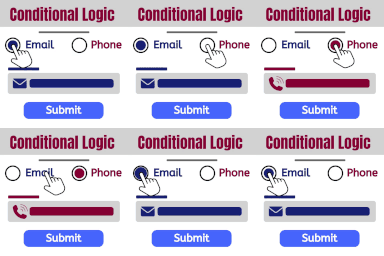
Show and hide fields. Send certain email, don't send others. Redirect to one of many pages. The possibilities are endless!

Membership & community plugin with user profiles, registration & login, member directories, content restriction, user roles and much more.

By Arno Welzel
Integration of PhotoSwipe (http://photoswipe.com) for WordPress.
Apply discounts & coupons via URL (link) to enhance user experience and increase conversion rates on your store

By VillaTheme
Craft a stunning thank you page effortlessly with our user-friendly customization tools, offer coupons to customers after purchase.

By Nazim Husain
Duplicate pages in one click, generate hundreds from a template, and keep them up to date with Page Generators and Template Sync.
CHOOSE WHAT YOUR WEBSITE NEEDS
Start with the task you need to solve. Compare features, WordPress and PHP requirements, update history and the author’s documentation. Test changes on a private copy and avoid adding several plugins for the same job.
This independent directory displays plugin information on WebFulHost and links to the official source. Packages are not mirrored or installed here. A plugin can include paid extensions or services with separate terms from its author.