
Debug Bar Console
By Drew Jaynes
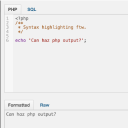
Adds a PHP/SQL console to the Debug Bar. Requires the Debug Bar plugin.
★ 5.0/5 (5)1,000+ active installations
- Version
- 0.3.1
- WordPress
- 3.1+
- Updated
- 11 Apr 2026
WORDPRESS RESOURCES
Explore public plugin information from the official WordPress.org directory. Compare what a plugin does, its requirements and update history before adding it to your website.
Explore WordPress hosting →4,441 matching plugins reported by WordPress.org · Page 17 of 50
Source: WordPress.org
Data refreshed 23 Nov 2026 14:09 UTC
By Drew Jaynes
Adds a PHP/SQL console to the Debug Bar. Requires the Debug Bar plugin.

By Md Jahid Shah
Add and manage custom JSON-LD schema in WordPress without SEO plugin limitations, duplicate schema conflicts, or unnecessary overhead.
Open source donation system for your fundraising that supports recurring donations and more

Calculated Fields Form: complete WordPress form builder for contact,booking,quote,payment forms & more,with built-in dynamic calculation capabilities.
Build photo galleries, image galleries, and portfolio grids with gallery blocks. Masonry, lightbox, sliders, and filters included.

By codepeople
CodePeople Post Map lets you geotag posts and seamlessly integrate your blog with Google Maps for a smooth, location-aware experience.

By runthings.dev
Convert taxonomy tags to checkboxes in the WordPress admin area.

By Volkmar Kantor
"Crop Thumbnails" made it easy to get exacly that specific image-detail you want to show in your featured image or gallery image.

By Kotik
Cookie banner. Consent checkboxes in forms and WooCommerce. Consent logging. Website scanner, Metrika control, policy tools and developer API.

By christophrado
Remove unnecessary code, nags and bloat from WordPress core and certain plugins.
A full-featured and entirely free Google Analytics Dashboard plugin for WordPress. Displays stats to help you to better understand your site content.
Google Analytics 4 for WordPress that tracks results: form leads, sign-ups and goal values, with GA4's own event names and a setup checklist.
CHOOSE WHAT YOUR WEBSITE NEEDS
Start with the task you need to solve. Compare features, WordPress and PHP requirements, update history and the author’s documentation. Test changes on a private copy and avoid adding several plugins for the same job.
This independent directory displays plugin information on WebFulHost and links to the official source. Packages are not mirrored or installed here. A plugin can include paid extensions or services with separate terms from its author.



