WhatsApp Chat🔥 allows you to enhance customer engagement! Integrate "WhatsApp" or "WhatsApp Business" with a single click.
★ 4.9/5 (697)200,000+ active installations
- Version
- 8.7.2
- WordPress
- 4.7+
- PHP
- 5.6+
- Updated
- 17 Nov 2026
View plugin details ↗The simplest and fastest WP Cache system
★ 4.9/5 (4,234)1,000,000+ active installations
- Version
- 1.5.5
- WordPress
- 5.7+
- Updated
- 5 Nov 2026
View plugin details ↗WordPress SEO plugin with AI SEO metadata, schema, XML sitemap, redirections & Search Console. Privacy-first, white-label SEO. Now AI-ready.
★ 4.8/5 (1,269)300,000+ active installations
- Version
- 10.4
- WordPress
- 6.5+
- PHP
- 7.4+
- Updated
- 29 Oct 2026
View plugin details ↗Add Contact Form 7 Data to Brevo Contact lists.
★ 5.0/5 (1)1,000+ active installations
- Version
- 1.1.1
- WordPress
- 4.5.0+
- PHP
- 5.6+
- Updated
- 25 Apr 2026
View plugin details ↗Maintain SEO rankings with custom URL suffixes like .php or .html. Perfect for legacy site migrations, fixing 404s, and preserving link juice.
★ 5.0/5 (1)200+ active installations
- Version
- 2.2
- WordPress
- 2.5.1+
- Updated
- 2 Apr 2026
View plugin details ↗Powerful user profile plugin to create front-end user registration forms, login & user profile forms. Includes user role editor & content restriction.
★ 4.7/5 (738)40,000+ active installations
- Version
- 4.0.7
- WordPress
- 3.1+
- PHP
- 7.4+
- Updated
- 11 Nov 2026
View plugin details ↗Drag-and-drop ordering for Categories & any taxonomy (hierarchically) using a Drag and Drop Sortable JavaScript capability.
★ 4.5/5 (162)500,000+ active installations
- Version
- 2.1
- WordPress
- 2.8+
- Updated
- 30 Oct 2026
View plugin details ↗
By OneSignal Push Notifications
Increase engagement and drive more repeat traffic to your WordPress site with push notifications. Now a WordPress VIP Gold Partner.
★ 4.3/5 (360)60,000+ active installations
- Version
- 3.9.4
- WordPress
- 6.0+
- PHP
- 7.4+
- Updated
- 29 Sep 2026
View plugin details ↗Add a smooth, fully customizable back to top button to your WordPress site — position, colors, icon and scroll speed, no code required.
★ 4.7/5 (3)100+ active installations
- Version
- 2.0.0
- WordPress
- 6.5+
- PHP
- 8.4+
- Updated
- 24 Aug 2026
View plugin details ↗
By Daniel Westermann-Clark
Use an external authentication source in WordPress.
★ 5.0/5 (1)600+ active installations
- Version
- 4.6
- WordPress
- 3.1+
- Updated
- 24 Apr 2024
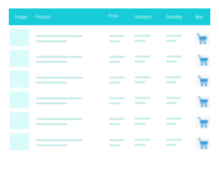
View plugin details ↗A truly lightweight, EASY to use and super FAST WooCommerce product table solution to add multiple products to cart at once.
★ 4.8/5 (24)400+ active installations
- Version
- 9.1.1
- WordPress
- 4.9+
- PHP
- 7.0+
- Updated
- 30 Sep 2026
View plugin details ↗Add external files to your media library to use them in your website. They are integrated as if they were available locally.
★ 5.0/5 (5)500+ active installations
- Version
- 5.6.2
- WordPress
- 6.2+
- PHP
- 8.2+
- Updated
- 6 Nov 2026
View plugin details ↗