

WP Snow Effect
By d3wp
Add nice looking animation effect of falling snow to your Wordpress site and enjoy winter and Christmas.
★ 4.9/5 (390)1,000+ active installations
- Version
- 1.1.19
- WordPress
- 3.6+
- PHP
- 5.6+
- Updated
- 5 Dec 2025
WORDPRESS RESOURCES
Explore public plugin information from the official WordPress.org directory. Compare what a plugin does, its requirements and update history before adding it to your website.
Explore WordPress hosting →3,746 matching plugins reported by WordPress.org · Page 17 of 50
Source: WordPress.org
Data refreshed 22 Nov 2026 09:15 UTC
By d3wp
Add nice looking animation effect of falling snow to your Wordpress site and enjoy winter and Christmas.

By spicethemes
Display your blog posts with a responsive, customizable slider that works smoothly on all devices.

By Johann Heyne
A Table Field Add-on for the Advanced Custom Fields and Secure Custom Fields Plugin.

By mehdi jalili
Easily Replace text, footer credits, jQuery/Ajax loaded text or anything in real-time.
BEAR - WooCommerce Bulk Editor Professional. Bulk edit prices, stock, SKU, attributes. Bulk delete, export CSV. AI assistants manage your shop via MCP …
Webyx for Elementor is a simple way to create amazing fullpage full screen scrollable websites in WordPress with Elementor builder.

By Janis Elsts
Lets you edit the WordPress admin menu. You can re-order, hide or rename menus, add custom menus and more.
By Roland Murg
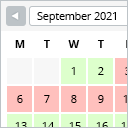
This booking calendar shows when something is booked or available. Use it to show when your holiday home is available for rent, for example.

By AntoineH
Add some game-day fun to your WordPress site! Let users predict match results, earn points, and go head-to-head in a fantasy sports pool.

By Rhys Wynne
Quickly and easily add a flipclock to your site’s posts and pages via a shortcode.

By SuperPWA
SuperPWA helps you convert your WordPress website into a Progressive Web App instantly.

By cleverplugins
WordPress security plugin with a free 8G firewall, 50+ tests, vulnerability and core scans, an events log, and optional read-only MCP abilities.
CHOOSE WHAT YOUR WEBSITE NEEDS
Start with the task you need to solve. Compare features, WordPress and PHP requirements, update history and the author’s documentation. Test changes on a private copy and avoid adding several plugins for the same job.
This independent directory displays plugin information on WebFulHost and links to the official source. Packages are not mirrored or installed here. A plugin can include paid extensions or services with separate terms from its author.

