

Advanced Steam Widget
By SnakeByte Studios
Displays Steam gaming profile status and recent history in a widget.
★ 5.0/5 (5)50+ active installations
- Version
- 2.0
- WordPress
- 4.4+
- PHP
- 7.0+
- Updated
- 22 Aug 2026
WORDPRESS RESOURCES
Explore public plugin information from the official WordPress.org directory. Compare what a plugin does, its requirements and update history before adding it to your website.
Explore WordPress hosting →10,000 matching plugins reported by WordPress.org · Page 17 of 50
Source: WordPress.org
Data refreshed 20 Nov 2026 10:55 UTC
By SnakeByte Studios
Displays Steam gaming profile status and recent history in a widget.

By POSIMYTH
The original Elementor sticky header & sticky menu plugin. Transparent, fixed & scroll effects (blur, shrink, hide) on Elementor Free or Pro.
Sticky Content allows website elements to remain fixed while scrolling. It is a simple and customizable Gutenberg block for creating sticky content.

By rbplugins
Disable, hide, bulk-delete & auto-reply to comments and WooCommerce reviews — multisite-ready, with an AI Assistant PRO add-on.
By Jory Hogeveen
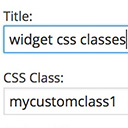
Add custom classes and ids plus first, last, even, odd, and numbered classes to your widgets.

By Blair Williams
The best WordPress membership and user role editor plugin. Edit roles, restrict content, and now manage it all with an AI assistant.

By Buy Me a Coffee
A free, fast, and friendly way to accept donations and memberships (recurring payments) from your visitors.

By RadiusTheme
WordPress team plugin to showcase team members with grid, slider, and filterable layouts. Fully compatible with Elementor & Gutenberg.

By artplacer
Allow your visitors visualize how artworks look on walls as soon as they land on your website!

By CRThemes
Free Theme Builder for Elementor – CRT Addons (Header, Footer, Archive, WooCommerce & 50+ Widgets)

By Dave Warfel
Add unlimited blocks/widgets to several areas of LearnDash Focus Mode, plus course & group pages.

By johnnash1975
WP Facebook Like Box Plugin enables you to display the facebook page likes in sidebar widget or popup. Display like button for the posts.
CHOOSE WHAT YOUR WEBSITE NEEDS
Start with the task you need to solve. Compare features, WordPress and PHP requirements, update history and the author’s documentation. Test changes on a private copy and avoid adding several plugins for the same job.
This independent directory displays plugin information on WebFulHost and links to the official source. Packages are not mirrored or installed here. A plugin can include paid extensions or services with separate terms from its author.
