WebFacing™ – Email Accounts management for cPanel®
By Knut Sparhell
WebFacing™ - Email Accounts management for cPanel®
★ 5.0/5 (8)100+ active installations
- Version
- 5.4
- WordPress
- 6.6+
- PHP
- 8.3+
- Updated
- 21 Sep 2026
WORDPRESS RESOURCES
Explore public plugin information from the official WordPress.org directory. Compare what a plugin does, its requirements and update history before adding it to your website.
Explore WordPress hosting →7,807 matching plugins reported by WordPress.org · Page 17 of 50
Source: WordPress.org
Data refreshed 28 Nov 2026 08:57 UTC
By Knut Sparhell
WebFacing™ - Email Accounts management for cPanel®

Calculated Fields Form: complete WordPress form builder for contact,booking,quote,payment forms & more,with built-in dynamic calculation capabilities.

Feature-packed membership plugin for creating subscription plans, adding recurring payments & content restriction on your membership site.

By Logtivity Activity Logs
Logtivity is the activity log service for WordPress admins. Track user activity and site events across every WordPress site you maintain.

Social chat buttons with WhatsApp, Messenger, WeChat, Telegram, Instagram, TikTok, Zalo & more — plus SMS, Call button, Contact form, and 20+ icons.

By WP Engine
ACF helps customize WordPress with powerful, professional and intuitive fields. Proudly powering over 2 million sites, WordPress developers love ACF.

By Melapress
The #1 user-rated activity log plugin for event logging, activity monitoring and change tracking.

🌠 Shorten, brand, and track any URL on your own domain. Keep your links — and your data — where they belong. 🔗
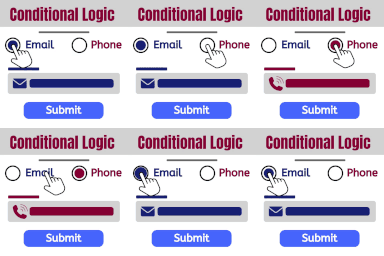
Show and hide fields. Send certain email, don't send others. Redirect to one of many pages. The possibilities are endless!

By Softaculous
Send emails from your WordPress site using your preferred SMTP provider like Gmail, Outlook, AWS, Zoho, SMTP.com, Brevo (formerly Sendinblue), Mailgun …

By Sarah Giles
Powerful and feature-rich user directory based on user profile meta fields.

By Marco van Wieren
Seamless Microsoft Entra | Ext. ID | B2C | M365 Integration for WordPress. For SSO, Mail, Roles, Access, Sync, Copilot, SharePoint, PowerBI.
CHOOSE WHAT YOUR WEBSITE NEEDS
Start with the task you need to solve. Compare features, WordPress and PHP requirements, update history and the author’s documentation. Test changes on a private copy and avoid adding several plugins for the same job.
This independent directory displays plugin information on WebFulHost and links to the official source. Packages are not mirrored or installed here. A plugin can include paid extensions or services with separate terms from its author.