A floating WhatsApp chat button with multi-agent routing, business hours and built-in click analytics. Upgrade to Nasi Chat Pro for more.
0+ active installations
- Version
- 1.0.0
- WordPress
- 5.8+
- PHP
- 7.2+
- Updated
- 28 Sep 2026
View plugin details ↗Answer WhatsApp, Messenger, Instagram, Telegram, SMS, email, and live chat from one WordPress inbox, with AI replies and team routing.
0+ active installations
- Version
- 1.4.7
- WordPress
- 6.0+
- PHP
- 7.4+
- Updated
- 26 Nov 2026
View plugin details ↗Online booking and appointment management for KalendyPro: shortcode, Gutenberg block, floating button and full WordPress admin.
0+ active installations
- Version
- 2.4.9
- WordPress
- 5.9+
- PHP
- 7.4+
- Updated
- 6 Jun 2026
View plugin details ↗AI Enhanced Live chat for your website that will help you to convert more visitors to customers.
★ 5.0/5 (4)30+ active installations
- Version
- 1.1.1
- WordPress
- 3.0.1+
- Updated
- 24 Feb 2025
View plugin details ↗The AI CRM for Ecommerce that turns conversations into growth.
10+ active installations
- Version
- 1.0.25
- WordPress
- 5.2+
- PHP
- 7.2+
- Updated
- 23 Nov 2026
View plugin details ↗Scheduling, client CRM, estimates, invoices, and reminders for service businesses.
0+ active installations
- Version
- 0.1.17
- WordPress
- 6.0+
- PHP
- 8.1+
- Updated
- 6 Aug 2026
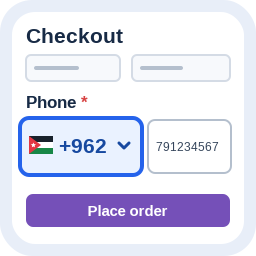
View plugin details ↗Search country calling codes, keep international numbers intact, and safely normalize Classic Checkout phone input.
0+ active installations
- Version
- 1.8.10
- WordPress
- 6.7+
- PHP
- 8.1+
- Updated
- 28 Nov 2026
View plugin details ↗Build a fast, secure WordPress social network with member profiles, activity feeds, groups, messaging, notifications, polls, moderation, and more.
★ 5.0/5 (1)0+ active installations
- Version
- 1.8.3
- WordPress
- 6.5+
- PHP
- 8.1+
- Updated
- 8 Sep 2026
View plugin details ↗Lead generation chat widget for WordPress with floating contact form, lead management, and CSV export.
★ 5.0/5 (3)0+ active installations
- Version
- 2.4.7
- WordPress
- 6.0+
- PHP
- 7.4+
- Updated
- 18 Nov 2026
View plugin details ↗Fast, private social share and follow buttons. No jQuery, no tracking, no ads, and zero front-end weight on pages that do not use them.
0+ active installations
- Version
- 1.0.1
- WordPress
- 6.2+
- PHP
- 7.4+
- Updated
- 11 Oct 2026
View plugin details ↗Stress-free orders, happy guests, full tables — the WooCommerce plugin built for restaurants, take-aways, and cafés.
★ 5.0/5 (1)0+ active installations
- Version
- 4.3.0
- WordPress
- 6.2+
- PHP
- 7.4+
- Updated
- 27 Nov 2026
View plugin details ↗Sticky contact bar: built-in form, social & chat buttons, QR panels, click analytics, WooCommerce inquiries, and a live admin preview.
0+ active installations
- Version
- 1.0.2
- WordPress
- 6.0+
- PHP
- 7.4+
- Updated
- 11 Oct 2026
View plugin details ↗