OnGuard is Login Plugin that will challenge suspicious logins by email, send password compromise and new connection emails.
0+ active installations
- Version
- 1.1
- WordPress
- 1.0+
- Updated
- 24 Apr 2025
WORDPRESS RESOURCES
Explore public plugin information from the official WordPress.org directory. Compare what a plugin does, its requirements and update history before adding it to your website.
Explore WordPress hosting →322 matching plugins reported by WordPress.org · Page 17 of 27
Source: WordPress.org
Data refreshed 24 Nov 2026 12:47 UTC
OnGuard is Login Plugin that will challenge suspicious logins by email, send password compromise and new connection emails.

By 5 Star Plugins (Rob)
Send images to RSS instantly for free. Output blog or WooCommerce photos to Mailchimp RSS email campaigns, ActiveCampaign, Hubspot, Feedly and more.

By Jonathan de Jong
Supercharge your custom post type archives by letting visitors filter posts by their terms/categories. This plugin handles the whole thing for you!
Optimize images automatically — compress, resize and convert to WebP, AVIF & more with Kraken.io. Faster pages, smaller files, same quality.
Appointment scheduling & event booking plugin for WordPress. Let clients self-schedule 24/7, register for events, and pay at booking.

By 5 Star Plugins (Rob)
Take year updates off your New Year’s list. This plugin dynamically updates copyright year in realtime with local timezone precision. No shortcode.
Translate WordPress with Google Language Translator multilanguage plugin which allows to insert a language selector widget anywhere on your website.

Translate WordPress into 110+ languages with AI. Multilingual plugin with SEO-friendly URLs, hreflang tags, language switcher, and glossary rules.

By Brainstorm Force
Experience the power of automation within WordPress: Connect 1,600+ apps, automate manual tasks, and unlock your full potential. Get started now!

By Xendit
Xendit Payment Gateway for WooCommerce
Build your own Online Travel Agency like Booking.com or AirBNB
By MCI Desarrollo
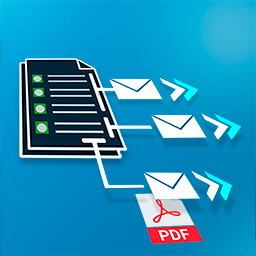
Sends an automatic order emails to the suppliers to send the corresponding products to the customer.
CHOOSE WHAT YOUR WEBSITE NEEDS
Start with the task you need to solve. Compare features, WordPress and PHP requirements, update history and the author’s documentation. Test changes on a private copy and avoid adding several plugins for the same job.
This independent directory displays plugin information on WebFulHost and links to the official source. Packages are not mirrored or installed here. A plugin can include paid extensions or services with separate terms from its author.