

The most flexible filters for WooCommerce products & WordPress content. Includes everything needed, supports Elementor & builders, AJAX, quick setup.
★ 4.6/5 (154)50,000+ active installations
- Version
- 1.9.8
- WordPress
- 6.0+
- PHP
- 7.4+
- Updated
- 2 Nov 2026
WORDPRESS RESOURCES
Explore public plugin information from the official WordPress.org directory. Compare what a plugin does, its requirements and update history before adding it to your website.
Explore WordPress hosting →10,000 matching plugins reported by WordPress.org · Page 17 of 50
Source: WordPress.org
Data refreshed 25 Nov 2026 02:26 UTC
The most flexible filters for WooCommerce products & WordPress content. Includes everything needed, supports Elementor & builders, AJAX, quick setup.

By YellowPencil
Style your WordPress site visually. Discover the most popular front-end design plugin! Try live demo.
Automatically optimize images with bulk compression, lazy loading, WebP/AVIF conversion & CloudFront image CDN. Boost Core Web Vitals & conversions.
By Web Builder 143
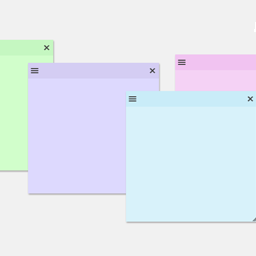
Create sticky notes in your WP admin for reminders and to-dos. Restrict notes by user roles and disable them on specific pages.
Start serving properly sized, smart cropped & optimized images, plus CSS, JS and fonts from our CDN with a click; Automatic AVIF & WebP support.

By Jeff Starr
Adds a custom set of <meta> tags to the <head> section of all posts & pages.

By Web Builder 143
Create unlimited WooCommerce tabs and assign them in bulk by category, tag, brand, or product. Also disable WooCommerce’s default product tabs.
Turn your site into an app-like PWA with install prompts, offline use, push notifications, and more to boost engagement, repeat visits, and sales.
The easiest to use WordPress map plugin! Create a custom map, map block, store locator or map widget with high quality markers.
Real-time private messaging, group chat, chat rooms, video and audio calls, AI chat bots and mobile apps for WordPress, BuddyPress and BuddyBoss.

The best WordPress contact form plugin. Drag & Drop form builder to create beautiful contact forms, payment forms, & other custom forms.

By Raul P.
Maximize GTmetrix, PageSpeed and enhance Web Vitals by minifying CSS/JS, lazy loading scripts, optimizing images, and improving load speed overall.
CHOOSE WHAT YOUR WEBSITE NEEDS
Start with the task you need to solve. Compare features, WordPress and PHP requirements, update history and the author’s documentation. Test changes on a private copy and avoid adding several plugins for the same job.
This independent directory displays plugin information on WebFulHost and links to the official source. Packages are not mirrored or installed here. A plugin can include paid extensions or services with separate terms from its author.




