Disable Gutenberg Block Editor and restore the Classic Editor and original Edit Post screen (TinyMCE, meta boxes, etc.).
★ 5.0/5 (735)500,000+ active installations
- Version
- 3.4
- WordPress
- 4.9+
- PHP
- 5.6.20+
- Updated
- 6 Nov 2026
View plugin details ↗Automatically add a table of contents to your posts and pages, with smooth scrolling, anchor links, and simple styling options.
★ 4.5/5 (191)200,000+ active installations
- Version
- 202609.1
- WordPress
- 5.7+
- PHP
- 7.4+
- Updated
- 17 Sep 2026
View plugin details ↗Find broken links and broken images in your posts, pages and custom post types. Runs on your own server: no SaaS, no API key.
★ 5.0/5 (1)20+ active installations
- Version
- 2.5.7
- WordPress
- 6.0+
- PHP
- 8.2+
- Updated
- 9 Nov 2026
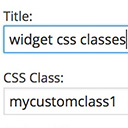
View plugin details ↗Add custom classes and ids plus first, last, even, odd, and numbered classes to your widgets.
★ 4.9/5 (74)80,000+ active installations
- Version
- 1.5.4.1
- WordPress
- 3.3+
- PHP
- 5.2.4+
- Updated
- 12 Nov 2024
View plugin details ↗This plugin allows you to integrate your restaurant's Zenchef reservation widget directly on all pages of your website.
2,000+ active installations
- Version
- 1.5.0
- WordPress
- 4.6+
- PHP
- 7.4+
- Updated
- 16 Nov 2026
View plugin details ↗Allow your visitors visualize how artworks look on walls as soon as they land on your website!
★ 4.3/5 (6)100+ active installations
- Version
- 2.23.5
- WordPress
- 4.0+
- PHP
- 5.2.4+
- Updated
- 20 Mar 2026
View plugin details ↗Give each image in Elementor’s built-in Image Gallery its own URL. Masonry/Classic layouts supported. Server-side, no JS, no order hacks.
★ 5.0/5 (1)200+ active installations
- Version
- 1.3
- WordPress
- 5.8+
- PHP
- 7.4+
- Updated
- 23 Oct 2026
View plugin details ↗Web push notifications, WooCommerce automation & multi-channel chat widget. WhatsApp cart recovery, browser alerts — one plugin.
★ 4.3/5 (37)8,000+ active installations
- Version
- 4.3.0
- WordPress
- 5.8+
- PHP
- 7.4+
- Updated
- 5 Nov 2026
View plugin details ↗Embed Zillow reviews fast and easily into your WordPress site. Increase SEO, trust and sales using Zillow reviews.
★ 3.0/5 (4)300+ active installations
- Version
- 15.0
- WordPress
- 6.2+
- PHP
- 7.2+
- Updated
- 12 Nov 2026
View plugin details ↗A widget to add links of social networking sites.
★ 4.7/5 (11)4,000+ active installations
- Version
- 2.3.1
- WordPress
- 2.8+
- Updated
- 25 May 2025
View plugin details ↗Display Facebook events on your WordPress site with beautiful, auto-updating event feeds using the Live Feed Builder. No API key required.
★ 4.5/5 (15)800+ active installations
- Version
- 2.0.0
- WordPress
- 6.0+
- PHP
- 7.4+
- Updated
- 17 Aug 2026
View plugin details ↗WP Facebook Like Box Plugin enables you to display the facebook page likes in sidebar widget or popup. Display like button for the posts.
★ 4.4/5 (18)6,000+ active installations
- Version
- 4.9
- WordPress
- 5.0+
- PHP
- 7.2+
- Updated
- 13 Jul 2026
View plugin details ↗