Easy Bootstrap Shortcode enable you to add bootstrap 3.0.3 styles in your pages, post and custom post in simplest manner.
★ 4.0/5 (50)6,000+ active installations
- Version
- 5.0.2
- WordPress
- 6.5+
- PHP
- 7.4+
- Updated
- 25 Aug 2026
View plugin details ↗Provide advanced controls, powerful blocks and beautiful pre-made templates that help you build websites in less time!
★ 4.0/5 (1)1,000+ active installations
- Version
- 2.0.8
- WordPress
- 6.5+
- PHP
- 5.6+
- Updated
- 18 May 2026
View plugin details ↗Automate SEO and content with dynamic shortcodes for dates, years, months, age calculations, seasons and countdowns in content, titles and meta.
★ 5.0/5 (18)8,000+ active installations
- Version
- 1.8.1
- WordPress
- 6.5+
- PHP
- 7.4+
- Updated
- 27 Aug 2026
View plugin details ↗68 free Divi modules + 8 extensions — the largest free Divi library, all native in the Divi 5 Visual Builder and Divi 4. Nothing to migrate.
★ 5.0/5 (12)1,000+ active installations
- Version
- 5.1.0
- WordPress
- 6.0+
- PHP
- 7.4+
- Updated
- 3 Sep 2026
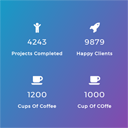
View plugin details ↗Counter Number WordPress Plugin brings you all the powerful Stats Counter features to your wordpress website
★ 4.6/5 (190)10,000+ active installations
- Version
- 1.4.0
- WordPress
- 5.0+
- Updated
- 26 Dec 2024
View plugin details ↗A single block to display custom fields in the Block Editor. It supports ACF, MetaBox, WooCommerce, meta, rest field, shortcode and more.
★ 5.0/5 (57)10,000+ active installations
- Version
- 1.6.2
- WordPress
- 6.9+
- PHP
- 8.0+
- Updated
- 20 Oct 2026
View plugin details ↗Build a powerful documentation hub with an AI-powered knowledge base, docs, wiki tools, changelogs, FAQ, glossary and an AI chatbot to help users find …
★ 4.6/5 (69)5,000+ active installations
- Version
- 2.6.3
- WordPress
- 6.6+
- PHP
- 7.4+
- Updated
- 4 Nov 2026
View plugin details ↗Create responsive tabs inside your posts, pages or custom post content by adding simple shortcodes inside the post editor.
★ 4.9/5 (144)10,000+ active installations
- Version
- 1.4.1
- WordPress
- 4.9+
- PHP
- 5.6+
- Updated
- 17 Aug 2025
View plugin details ↗A collection of several blocks for new WordPress editor (Gutenberg).
★ 5.0/5 (1)500+ active installations
- Version
- 1.3.4
- WordPress
- 5.0+
- Updated
- 1 Sep 2026
View plugin details ↗WP Insurance is a Service WordPress plugin.
100+ active installations
- Version
- 2.1.4
- WordPress
- 5.0+
- Updated
- 10 Aug 2026
View plugin details ↗Group core blocks into containers or repeaters to create layouts like grid, carousel, popup, accordion all in the Block Editor. Fast. Easy.
★ 5.0/5 (14)1,000+ active installations
- Version
- 2.8.15
- WordPress
- 6.9+
- PHP
- 8.0+
- Updated
- 12 Oct 2026
View plugin details ↗Create fully accessible content spoilers or accordions with a shortcode.
★ 5.0/5 (1)100+ active installations
- Version
- 1.0.13
- WordPress
- 3.9.1+
- PHP
- 5.6+
- Updated
- 21 Jun 2026
View plugin details ↗