Adds a user friendly and fully automatic way to create and display a table of contents generated from the page content.
★ 4.4/5 (221)600,000+ active installations
- Version
- 2.0.90
- WordPress
- 5.0+
- PHP
- 5.6.20+
- Updated
- 16 Nov 2026
View plugin details ↗A better way to manage dozens of WordPress websites.
★ 4.6/5 (680)1,000,000+ active installations
- Version
- 4.9.39
- WordPress
- 3.1+
- Updated
- 2 Nov 2026
View plugin details ↗Extend Elementor with 68+ widgets, 114 prebuilt demos, Mega Menu Builder, Theme Builder, and advanced interactive effects.
★ 3.8/5 (79)300,000+ active installations
- Version
- 3.3.1
- WordPress
- 5.0+
- PHP
- 7.4+
- Updated
- 7 Nov 2026
View plugin details ↗Lightweight SEO assistant for meta tags, schema and structured data, XML sitemaps, Open Graph previews, robots.txt, and Search Console.
★ 4.8/5 (56)300,000+ active installations
- Version
- 1.11.1
- WordPress
- 6.7+
- PHP
- 7.4+
- Updated
- 12 Nov 2026
View plugin details ↗Need a Before After Image Comparison slider? Create your before and after slider with BEAF. Addon for Elementor Before and After Slider is included.
★ 4.9/5 (108)30,000+ active installations
- Version
- 4.7.22
- WordPress
- 6.8+
- PHP
- 7.4+
- Updated
- 15 Nov 2026
View plugin details ↗Easily set site favicon and even rotate through multiple icons
★ 4.3/5 (12)20,000+ active installations
- Version
- 1.3.0
- WordPress
- 6.6+
- PHP
- 8.2+
- Updated
- 12 Sep 2026
View plugin details ↗Turn visitors into buyers with a one-tap Viber chat button. Effortless customer conversations for e-commerce stores and service providers alike.
50+ active installations
- Version
- 4.0.1
- WordPress
- 5.8+
- PHP
- 7.4+
- Updated
- 29 Jun 2026
View plugin details ↗Log in as any WordPress user with one click. Troubleshoot issues and support customers without asking for their password.
★ 4.8/5 (41)30,000+ active installations
- Version
- 1.7.6
- WordPress
- 5.3+
- PHP
- 7.4+
- Updated
- 13 Nov 2026
View plugin details ↗Best WooCommerce coupons plugin to create advanced coupons and discount codes with auto-apply, BOGO, free shipping, giveaways, and discount rules.
★ 4.7/5 (133)30,000+ active installations
- Version
- 2.3.4
- WordPress
- 6.0+
- PHP
- 7.0+
- Updated
- 19 Nov 2026
View plugin details ↗Saves UTMs and ad click IDs (gclid, fbclid) to every form entry and WooCommerce order. First and last touch, cache-safe, consent-aware.
★ 5.0/5 (1)10+ active installations
- Version
- 1.14.0
- WordPress
- 6.5+
- PHP
- 8.1+
- Updated
- 15 Nov 2026
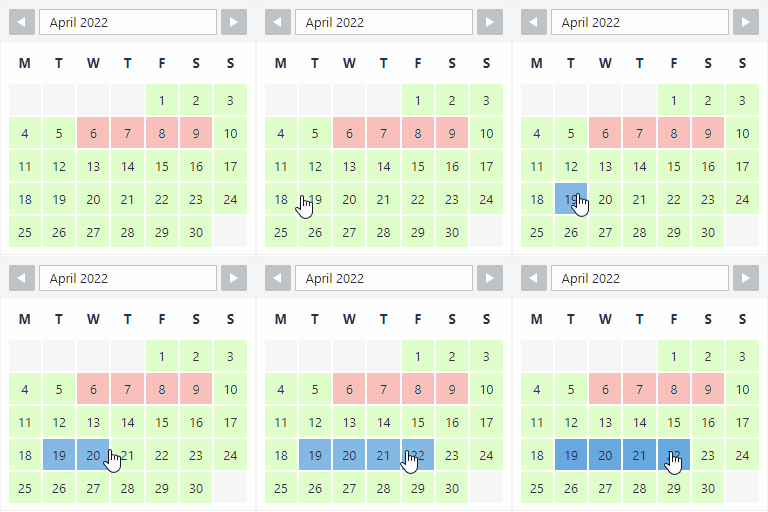
View plugin details ↗The booking calendar plugin for WordPress. Get easy online booking with this lightweight and powerful booking calendar.
★ 4.9/5 (344)10,000+ active installations
- Version
- 2.1.0.8
- WordPress
- 4.7+
- PHP
- 5.6+
- Updated
- 10 Nov 2026
View plugin details ↗Search through all fields in Media Library.
★ 4.4/5 (28)5,000+ active installations
- Version
- 1.0.1
- WordPress
- 3.5+
- Updated
- 9 Sep 2026
View plugin details ↗