Smooth Scroll Page Up/Down Buttons adds buttons that enables your site visitors to easily scroll up or down one screen/page at a time.
★ 5.0/5 (21)2,000+ active installations
- Version
- 1.4.2
- WordPress
- 3.8+
- Updated
- 25 Aug 2026
View plugin details ↗AEH Speed Optimization boosts site speed with caching, minification, lazy loading, and image optimization to improve performance and SEO.
★ 3.2/5 (20)2,000+ active installations
- Version
- 3.4.0
- WordPress
- 3.5+
- Updated
- 15 Oct 2026
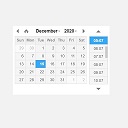
View plugin details ↗A date-time add-on for Gravity Forms with custom date time format.
★ 4.5/5 (2)1,000+ active installations
- Version
- 1.3.6
- WordPress
- 4.0+
- PHP
- 7.4+
- Updated
- 14 Dec 2025
View plugin details ↗Really Simple Featured Video lets you add product video & featured video to WooCommerce Products & Posts, Pages, CPTs (with featured images) a …
★ 4.0/5 (34)4,000+ active installations
- Version
- 1.5.0
- WordPress
- 6.3+
- PHP
- 8.0+
- Updated
- 16 Nov 2026
View plugin details ↗The only plugin in WooCommerce that empowers you to build profit-pulling Thank You Pages with plug & play components.
★ 4.7/5 (150)10,000+ active installations
- Version
- 2.25.0
- WordPress
- 5.0+
- PHP
- 7.4+
- Updated
- 25 Nov 2026
View plugin details ↗Removes all Add to Cart buttons throughout a WooCommerce website without affecting anything else hooked into the Add to Cart actions.
★ 4.9/5 (13)3,000+ active installations
- Version
- 1.4.24
- WordPress
- 4.7+
- PHP
- 7.4+
- Updated
- 8 Nov 2025
View plugin details ↗Embed Meta™ Page content without slowing down your site or loading third-party scripts before user interaction.
★ 4.3/5 (24)10,000+ active installations
- Version
- 2.0.1
- WordPress
- 5.8+
- PHP
- 7.2+
- Updated
- 28 Apr 2026
View plugin details ↗The Events Calendar addon to create custom single event page templates and replace the default event single page layout with your own branded design.
★ 4.8/5 (81)6,000+ active installations
- Version
- 1.9.4
- WordPress
- 5.0+
- PHP
- 7.2+
- Updated
- 5 Nov 2026
View plugin details ↗Replace the default WooCommerce Thank You page (order received page) with a custom Thank You page.
★ 5.0/5 (7)2,000+ active installations
- Version
- 2.2.0
- WordPress
- 6.5+
- PHP
- 7.4+
- Updated
- 8 Jul 2026
View plugin details ↗Restore the old school icons in WPBakery Page Builder, as used before Version 8.0.
★ 5.0/5 (1)80+ active installations
- Version
- 1.0
- WordPress
- 4.7+
- PHP
- 5.6+
- Updated
- 20 Jun 2026
View plugin details ↗Load plugins only where you need them. No bloat, no conflicts, more speed. Deactivate plugins where they don't add anything useful.
★ 4.8/5 (104)8,000+ active installations
- Version
- 2.8.0
- WordPress
- 4.6+
- PHP
- 7.4+
- Updated
- 26 Nov 2026
View plugin details ↗How to Remove/disable Add to cart And Replace Cart button with Inquiry Us button in WooCommerce.
★ 3.0/5 (26)4,000+ active installations
- Version
- 1.4.8
- WordPress
- 4.6+
- Updated
- 24 Oct 2025
View plugin details ↗