

Advanced Cron Manager – debug & control
By Kuba Mikita
View, pause, remove, edit and add WP Cron events and schedules.
★ 4.7/5 (39)30,000+ active installations
- Version
- 2.8.0
- WordPress
- 6.0+
- PHP
- 7.4+
- Updated
- 18 Nov 2026
WORDPRESS RESOURCES
Explore public plugin information from the official WordPress.org directory. Compare what a plugin does, its requirements and update history before adding it to your website.
Explore WordPress hosting →3,169 matching plugins reported by WordPress.org · Page 18 of 50
Source: WordPress.org
Data refreshed 22 Nov 2026 20:17 UTC
By Kuba Mikita
View, pause, remove, edit and add WP Cron events and schedules.
Create custom post types in WordPress with custom fields, taxonomies, and meta fields. AI-powered WordPress metadata plugin.
Add a WhatsApp chat button, WooCommerce WhatsApp order button & click-to-chat floating widget. Capture leads & convert visitors via chat.

By John James Jacoby
Allow registered users to upload and select their own avatars.
By Tauhidpro
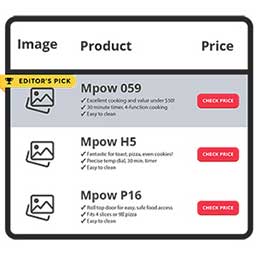
NicheTable is a simple and flexible table block plugin for the WordPress block editor. It allows you to create responsive product comparison tables …

By Seth Smigelski
A custom block that automatically creates a clickable, customizable Jump Links table of contents from the headings in your post.

By PickPlugins
Landing Page Builder, Blog Builder, eCommerce Builder, Niche Site Builder, News Site Builder and More.

By NiteoThemes
Beautiful Coming soon, Maintenance or Landing page on your website, packed with premium features for free.
This WP plugin protects posts from being copied (content copy protection). Keep your content safe from unauthorized distribution!

By zamartz
Allows for the hiding of billing and shipping fields, based on the relevant conditional rule set(s) defined.

By Ludwig You
Modular WordPress toolkit for security, performance, SMTP, WebP images, code snippets, redirects, administration and more.
Easily create, manage bookmarkable FAQs on your website. Use divi module, FAQ block or shortcode to display FAQs. Boost SEO with FAQPage schema & …
CHOOSE WHAT YOUR WEBSITE NEEDS
Start with the task you need to solve. Compare features, WordPress and PHP requirements, update history and the author’s documentation. Test changes on a private copy and avoid adding several plugins for the same job.
This independent directory displays plugin information on WebFulHost and links to the official source. Packages are not mirrored or installed here. A plugin can include paid extensions or services with separate terms from its author.



