

Display WooCommerce products in a responsive slider or carousel with customizable layouts to boost engagement and improve product browsing.
★ 4.1/5 (38)4,000+ active installations
- Version
- 2.4
- WordPress
- 5.0+
- Updated
- 13 Aug 2026
WORDPRESS RESOURCES
Explore public plugin information from the official WordPress.org directory. Compare what a plugin does, its requirements and update history before adding it to your website.
Explore WordPress hosting →7,462 matching plugins reported by WordPress.org · Page 18 of 50
Source: WordPress.org
Data refreshed 28 Nov 2026 05:18 UTC
Display WooCommerce products in a responsive slider or carousel with customizable layouts to boost engagement and improve product browsing.

By Premmerce
This plugin makes it possible to create an unlimited number of brands that can be assigned to the products for better cataloging.
By Pektsekye
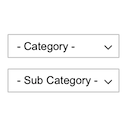
Displays product categories as dependent drop-down selects.
Request a Quote for WooCommerce and Elementor plugin shows a Contact Form 7 or WPForms popup on button click. Quote for WooCommerce, price on request.

By WP Swings
Create, sell and manage WooCommerce gift cards to attract more sales and multiply your revenue at your online store.

By RadiusTheme
Variation Swatches for WooCommerce change beautiful colors, images and buttons variation swatches for WooCommerce product attributes.
YITH WooCommerce Product Gallery & Image Zoom add zoom effect to product images and a customizable image slider.

By YITHEMES
Increase average order value by letting your customers purchase additional options on your products.
Extend Elementor with 68+ widgets, 114 prebuilt demos, Mega Menu Builder, Theme Builder, and advanced interactive effects.

By Ivijan-Stefan Stipic
Quickly search and filter categories and taxonomies inside the WordPress admin.
Take full control over the emails you send and customize your WooCommerce emails with our plugin.
Events calendar plugin for event registration, event tickets, bookings, RSVP, recurring and virtual events with WooCommerce and Zoom (AI-powered).
CHOOSE WHAT YOUR WEBSITE NEEDS
Start with the task you need to solve. Compare features, WordPress and PHP requirements, update history and the author’s documentation. Test changes on a private copy and avoid adding several plugins for the same job.
This independent directory displays plugin information on WebFulHost and links to the official source. Packages are not mirrored or installed here. A plugin can include paid extensions or services with separate terms from its author.




