

Sticky Ads Lightweight
By Saurabh Guttedar
Display Sticky Ad in the Top/Bottom of your screen easily
★ 3.7/5 (3)300+ active installations
- Version
- 3.5.1
- WordPress
- 4.0.0+
- PHP
- 5.3+
- Updated
- 25 Oct 2026
WORDPRESS RESOURCES
Explore public plugin information from the official WordPress.org directory. Compare what a plugin does, its requirements and update history before adding it to your website.
Explore WordPress hosting →2,337 matching plugins reported by WordPress.org · Page 18 of 50
Source: WordPress.org
Data refreshed 21 Nov 2026 07:43 UTC
By Saurabh Guttedar
Display Sticky Ad in the Top/Bottom of your screen easily
Add YouTube and MP4 videos to WooCommerce product galleries, with variation image support and simple gallery settings.

By nextxentech
A canvas-based product designer for WooCommerce. Let customers personalize products with text, images, and shapes before purchasing.
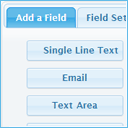
By codepeople
Create responsive contact and booking forms with a visual drag-and-drop form builder, inline validation, built-in CAPTCHA, and email delivery.

By LottieFiles
LottieFiles for WordPress is the easiest way to add Lottie animations to your WordPress website using the Gutenberg editor.
AI-Powered schema markup plugin for WordPress. Generate JSON-LD schema and FAQs, validate Rich Results, and audit your structured data.

By subhansanjaya
A simple posts content slider, product, images, videos, related posts, custom post type carousel plugin for WordPress.

By AllAccessible
Agentic AI accessibility tools for WordPress: auto-fix alt text, ARIA & HTML for WCAG/ADA. Per-page & site scores, TTS, disability profiles.

By Алексей
Integration with delivery carriers through the eShopLogistic service: shipping calculation and order export to carrier dashboards.

By vertim
Custom LED neon sign configurator for WooCommerce: live glowing preview, fonts, colours, sizes, backboards and automatic pricing.

By David Stone
A native AI agent to build and edit WordPress sites, improve content, manage site work, and automate tasks with your chosen provider.

By Emran Ahmed
Turn each product variation's photos into a fully controllable gallery — thumbnail layout, slider, zoom, and mobile sizing, no theme hacks.
CHOOSE WHAT YOUR WEBSITE NEEDS
Start with the task you need to solve. Compare features, WordPress and PHP requirements, update history and the author’s documentation. Test changes on a private copy and avoid adding several plugins for the same job.
This independent directory displays plugin information on WebFulHost and links to the official source. Packages are not mirrored or installed here. A plugin can include paid extensions or services with separate terms from its author.

