Supplier Order Email
By MCI Desarrollo
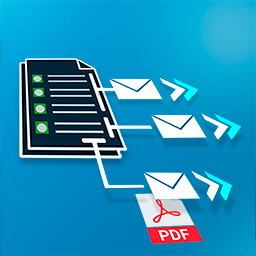
Sends an automatic order emails to the suppliers to send the corresponding products to the customer.
★ 4.9/5 (14)300+ active installations
- Version
- 3.6.16
- WordPress
- 4.6+
- PHP
- 7.0+
- Updated
- 17 Jun 2026
WORDPRESS RESOURCES
Explore public plugin information from the official WordPress.org directory. Compare what a plugin does, its requirements and update history before adding it to your website.
Explore WordPress hosting →269 matching plugins reported by WordPress.org · Page 18 of 23
Source: WordPress.org
Data refreshed 26 Nov 2026 18:19 UTC
By MCI Desarrollo
Sends an automatic order emails to the suppliers to send the corresponding products to the customer.

By Dotstore
Plugin lets you easily upload any file type (images, documents, videos, etc.) to customer orders.

By Samuel Silva
Boost user engagement with a fullscreen menu on your website.

By Javed Amroha Wala
Banner: assets/banner-1544x500.png Easy referral and affiliate tools for WooCommerce with product referral links, short URLs, coupon tracking, affilia …
Add multiple images per WooCommerce variation to enhance product visuals, build trust, and boost conversions with advanced galleries.
Set up complex stock configurations with ease. Shared stock, variable quantities, the possibilities are endless.

By joegomega
Connect your WordPress website to MEGA's AI-powered SEO platform for automated content optimization and growth.
Add a YouTube or MP4 video to your WooCommerce product gallery. The poster becomes a real gallery image with click-to-play. Works with any theme.

By Nexura Security
Add responsive YouTube & Vimeo videos to WooCommerce product galleries. Blazing fast, Core Web Vitals optimized, and built to boost store conversions.
Add a Buy Now button, direct checkout, side cart and quick view to WooCommerce. Skip the cart page and cut cart abandonment. No code needed.
Abandoned cart recovery for WooCommerce: win carts back on WhatsApp via 6rsh (official Meta Tech Provider) and email, with a live cart monitor.

By webhead GmbH
Fast, AI-powered search for WordPress and WooCommerce: suggestions as you type, smart filters, an AI shopping assistant and photo search.
CHOOSE WHAT YOUR WEBSITE NEEDS
Start with the task you need to solve. Compare features, WordPress and PHP requirements, update history and the author’s documentation. Test changes on a private copy and avoid adding several plugins for the same job.
This independent directory displays plugin information on WebFulHost and links to the official source. Packages are not mirrored or installed here. A plugin can include paid extensions or services with separate terms from its author.