

Bricks Navigator
By Sridhar Katakam
Adds quick links in the WordPress admin bar for users of Bricks theme.
★ 5.0/5 (19)8,000+ active installations
- Version
- 1.2.1
- WordPress
- 6.0+
- PHP
- 8.0+
- Updated
- 21 Sep 2026
WORDPRESS RESOURCES
Explore public plugin information from the official WordPress.org directory. Compare what a plugin does, its requirements and update history before adding it to your website.
Explore WordPress hosting →10,000 matching plugins reported by WordPress.org · Page 18 of 50
Source: WordPress.org
Data refreshed 20 Nov 2026 13:54 UTC
By Sridhar Katakam
Adds quick links in the WordPress admin bar for users of Bricks theme.
Create responsive image and content carousels in Gutenberg. Captions, autoplay, effects, navigation – build elegant sliders with no code.

By Rick Curran
Remove the language selector from the login screen if you have more than one language enabled in WordPress 5.9 and later.

By IT-Recht Kanzlei
Ensures that your website is always provided with warning-proof legal texts from IT-Recht Kanzlei after booking the GTC service.

By Trustindex
Instagram Feed Widgets. Display your Instagram feed on your website to increase engagement, sales and SEO.

By Stefan Kalscheuer
Filter extension for the famous Statify WordPress plugin.
Log in as any WordPress user with one click. Troubleshoot issues and support customers without asking for their password.

By Pektsekye
It adds drop-down, radio button and text field options on the product page.
The #1 eCommerce plugin to sell digital products & subscriptions. Accept payments with Stripe & PayPal. Sell ebooks, software & more.
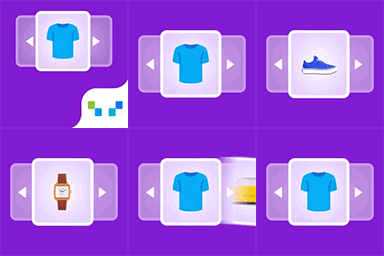
This WooCommerce related products plugin, lets you create upsells, and cross-sells with smart WooCommerce product recommendations widget.

By ShareThis
Use Google Analytics on your WordPress site without touching any code, and view visitor reports right in your WordPress admin dashboard!
Powerful user role management plugin for WordPress websites. Easily create, customize, and manage user roles and capabilities without writing code.
CHOOSE WHAT YOUR WEBSITE NEEDS
Start with the task you need to solve. Compare features, WordPress and PHP requirements, update history and the author’s documentation. Test changes on a private copy and avoid adding several plugins for the same job.
This independent directory displays plugin information on WebFulHost and links to the official source. Packages are not mirrored or installed here. A plugin can include paid extensions or services with separate terms from its author.



