
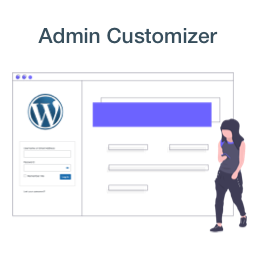
Admin Customizer
By Nilambar Sharma
A plugin for customizing your admin panel.
★ 4.9/5 (16)1,000+ active installations
- Version
- 2.2.7
- WordPress
- 4.9+
- PHP
- 5.6+
- Updated
- 15 Aug 2023
WORDPRESS RESOURCES
Explore public plugin information from the official WordPress.org directory. Compare what a plugin does, its requirements and update history before adding it to your website.
Explore WordPress hosting →533 matching plugins reported by WordPress.org · Page 18 of 45
Source: WordPress.org
Data refreshed 24 Nov 2026 17:41 UTC
By Nilambar Sharma
A plugin for customizing your admin panel.
Connect Claude, ChatGPT or any AI app to WordPress. Drafts only mode, access levels per app and a 72-hour undo. 400+ tools, self-hosted.
Web-to-print product designer for WooCommerce — let customers customize products and generate print-ready PDF/CMYK files, with AI & B2B tools.

By Miguel Carneiro
Elementor widgets, stylers for 6 form plugins, a wp-login.php designer and WordPress & WooCommerce tweaks in one lightweight plugin.
Create multi-step builder pages for easy product selection and ordering. Includes option to email configurations to friends

By Imran Tauqeer
CubeWP is an end-to-end dynamic content framework for WordPress to help you shrink time and cut cost of development up to 90%.

By Mubashir Taqi
Display LearnDash course, quiz & group certificates anywhere with a shortcode, Gutenberg block, or Elementor widget.
Accept Visa, MasterCard, Vipps, Apple Pay, Google Pay, Click to Pay, Swish, MobilePay,

By Rakesh Lawaju (Racase)
Personalize, White label & Rebrand your login page without any coding. Easy setup and live preview.

By Fernando Tellado
Lightweight Free WordPress SEO: meta tags, schema, Open Graph, redirects, robots, LLMS, MD, sitemap. No bloat, no tracking. Visible to search and AI.

By Devmont Digital
Customize WordPress login page branding—logo, background, colors, and messages. A simple and effective tool for personalizing the login experience.

By A WP Life
A WP Life Companion is a useful plugin for awpbusinesspress WordPress theme by awordpresslife.
CHOOSE WHAT YOUR WEBSITE NEEDS
Start with the task you need to solve. Compare features, WordPress and PHP requirements, update history and the author’s documentation. Test changes on a private copy and avoid adding several plugins for the same job.
This independent directory displays plugin information on WebFulHost and links to the official source. Packages are not mirrored or installed here. A plugin can include paid extensions or services with separate terms from its author.



