Run your restaurant on WordPress — menus & allergens, online ordering, table bookings and card payments. Commission-free, no monthly fees.
★ 5.0/5 (3)50+ active installations
- Version
- 1.2.38
- WordPress
- 6.0+
- PHP
- 7.4+
- Updated
- 19 Nov 2026
WORDPRESS RESOURCES
Explore public plugin information from the official WordPress.org directory. Compare what a plugin does, its requirements and update history before adding it to your website.
Explore WordPress hosting →10,000 matching plugins reported by WordPress.org · Page 18 of 50
Source: WordPress.org
Data refreshed 22 Nov 2026 12:32 UTC
Run your restaurant on WordPress — menus & allergens, online ordering, table bookings and card payments. Commission-free, no monthly fees.
Log in as any WordPress user with one click. Troubleshoot issues and support customers without asking for their password.
Free MCP plugin for WordPress. Connect Claude, ChatGPT, Cursor or any AI agent and manage your site by chat. 200+ tools, no coding needed.

By Douglas Karr
List a page's child pages anywhere with one shortcode, with optional featured images, excerpts, custom ordering, and CSS classes.

By Mobeen Raheem
CSV Importer Plus for ACF maps & imports CSV data to Posts, Pages, CPTs & WooCommerce products, with or without ACF/SCF fields.

By Dmitry V. (CEO of "UKR Solution")
WooCommerce barcode generator for product and order labels & price tags. Easily print label with your printer (UPC, EAN, GS1, GTIN, QRcode).
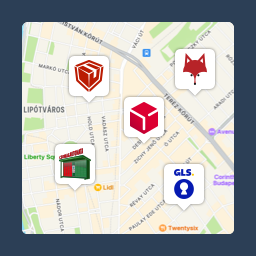
Pickup point map and shipping labels for WooCommerce, for home delivery too. MPL, Foxpost, GLS, DPD, Express One, Packeta and more.

By Plugin Devs
News icker for Elementor lets you add news ticker with the Elementor Page builder.You can use any of your blog post as news ticker.

By OsomPress
Genesis Simple Share allows you to easily add beautiful share buttons to your site using a Genesis child theme
Gutenberg blocks for news, magazine and blog sites, with a theme builder, mega menu, Global Kit and one-click starter sites.

By Guido
With this lightweight plugin you can create an event list.
Show a waitlist form on out-of-stock products and automatically email subscribers when items are restocked. Turn lost sales into customers.
CHOOSE WHAT YOUR WEBSITE NEEDS
Start with the task you need to solve. Compare features, WordPress and PHP requirements, update history and the author’s documentation. Test changes on a private copy and avoid adding several plugins for the same job.
This independent directory displays plugin information on WebFulHost and links to the official source. Packages are not mirrored or installed here. A plugin can include paid extensions or services with separate terms from its author.