

Add a table of contents to posts and pages automatically. Easy onboarding wizard, themes with dark mode, and advanced customization.
★ 4.9/5 (43)7,000+ active installations
- Version
- 3.0.4
- WordPress
- 5.0+
- PHP
- 7.0+
- Updated
- 13 Oct 2026
WORDPRESS RESOURCES
Explore public plugin information from the official WordPress.org directory. Compare what a plugin does, its requirements and update history before adding it to your website.
Explore WordPress hosting →4,400 matching plugins reported by WordPress.org · Page 18 of 50
Source: WordPress.org
Data refreshed 21 Nov 2026 10:02 UTC
Add a table of contents to posts and pages automatically. Easy onboarding wizard, themes with dark mode, and advanced customization.
By Modi Sahil
Disable WordPress updates & restrict plugin installs, update visibility, and file-editor access to chosen admins. Ultimate security update manager.

By Mokhtar Bensaid
Adds the official Saudi Riyal (SAR) symbol to your WooCommerce store, with size and color controls.

By CHRS Interactive
Display a customizable notification when users click on external links. Perfect for warning users about leaving your website.

By Infigo Software
IS-theme-companion , Enhances themes with extra functionality for Infigo Software Themes.

By tychesoftwares
Let customers choose delivery dates & times on checkout. Simplify delivery management by blocking holidays & setting max deliveries per day.

By Jeff Starr
Display an Ajax-powered chat box anywhere. Lightweight, flexible, fast, and secure. Fully customizable with many options.

By yukyhendiawan
Add and customize Google Material Symbols icons in the block editor, output as clean inline SVG — no icon font, no external requests.
By Realwebcare
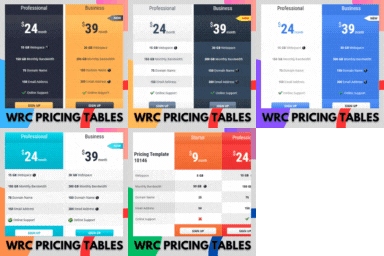
Responsive CSS3 pricing tables design to present features and prices of different products. Display pricing tables or comparison table by shortcode.
Responsive HTML5 video player for WordPress. Embed MP4, WebM, OGG, YouTube & Vimeo with shortcodes or blocks – customizable, fast, SEO-friendly.

By Mohamed Magdy
Quill Forms - Conversational WordPress Form Builder
Display WooCommerce product categories in responsive sliders and grids to boost navigation, engagement, and product discovery.
CHOOSE WHAT YOUR WEBSITE NEEDS
Start with the task you need to solve. Compare features, WordPress and PHP requirements, update history and the author’s documentation. Test changes on a private copy and avoid adding several plugins for the same job.
This independent directory displays plugin information on WebFulHost and links to the official source. Packages are not mirrored or installed here. A plugin can include paid extensions or services with separate terms from its author.

