
Term Management Tools
By scribu
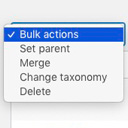
Allows you to merge terms, move terms between taxonomies, and set term parents, individually or in bulk.
★ 4.9/5 (76)10,000+ active installations
- Version
- 2.0.2
- WordPress
- 4.2+
- PHP
- 7.1+
- Updated
- 11 Dec 2025
WORDPRESS RESOURCES
Explore public plugin information from the official WordPress.org directory. Compare what a plugin does, its requirements and update history before adding it to your website.
Explore WordPress hosting →3,759 matching plugins reported by WordPress.org · Page 18 of 50
Source: WordPress.org
Data refreshed 23 Nov 2026 17:38 UTC
By scribu
Allows you to merge terms, move terms between taxonomies, and set term parents, individually or in bulk.

By wpluna
Renders ACF or Secure Custom Fields repeater values in Elementor loop items and loop grids via Dynamic Tags.

By Damian
WP Popups is the best popup maker for WordPress. Easy but powerful plugin with display filters, scroll-triggered popups, and Gutenberg block editor.

By David Anderson / Team Updraft
Connect any REST API to WordPress. WPGet API enables easy API integration, allowing you to display API data without any code.

By Diana van de Laarschot
Dynamic menus: List all posts from a category in your menu. Also works for tags, custom taxonomies as well as pages and custom post types.

By Matt Cromwell
A simple and easy way to reorder your custom post types within terms in WordPress.
Bulk generate multiple Pages using dynamic content.

By dFactory
Count and display post views, track site-wide visits, and see what content works – inside WordPress. Fast, easy to use and privacy-first.
Advanced Post Block lets you add dynamic post grids, lists, sliders, and tickers. Filter content by category, tag, author, or custom post type.

By Joachim Jensen
Create Access Levels and restrict any post, page, category, etc. Supports bbPress, BuddyPress, WooCommerce, WPML, and more.

By Brainstorm Force
Create new sidebar areas and display them conditionally on certain pages. Works with all themes.

Control how published content is updated. Users submit revisions and duplicate posts. Editors can approve, reject or schedule those revisions.
CHOOSE WHAT YOUR WEBSITE NEEDS
Start with the task you need to solve. Compare features, WordPress and PHP requirements, update history and the author’s documentation. Test changes on a private copy and avoid adding several plugins for the same job.
This independent directory displays plugin information on WebFulHost and links to the official source. Packages are not mirrored or installed here. A plugin can include paid extensions or services with separate terms from its author.

