

MainWP Child establishes a secure link between your WordPress sites and your self-hosted MainWP Dashboard, simplifying site management.
★ 5.0/5 (71)700,000+ active installations
- Version
- 6.5
- WordPress
- 6.2+
- PHP
- 7.4+
- Updated
- 17 Nov 2026
WORDPRESS RESOURCES
Explore public plugin information from the official WordPress.org directory. Compare what a plugin does, its requirements and update history before adding it to your website.
Explore WordPress hosting →10,000 matching plugins reported by WordPress.org · Page 18 of 50
Source: WordPress.org
Data refreshed 19 Nov 2026 07:17 UTC
MainWP Child establishes a secure link between your WordPress sites and your self-hosted MainWP Dashboard, simplifying site management.
Elementor templates, Header footer builder, Elementor Post Grid, Woocommerce Grid builder, Slider, Forms, Gallery, Nav menu addons, Elementor widgets.

By WP Spell Check
Proofread & Audit your WordPress website with One Click! Find & fix the errors and build a professional image for your business.

By Thomas Geiger
Advanced tag management for WordPress with Google Tag Manager

By AddonsPress
Easily import demo data including posts, pages, media, widgets, customizer settings, and Gutenberg Blocks.
By Dinesh Karki
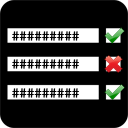
New standard of advance validation for Contact Form 7.

By Gemini Labs
Black Bar is an unobtrusive Debug Bar for WordPress developers that attaches itself to the bottom of the browser window.

By Brad Touesnard
SpinupWP is a modern server control panel that's here to help you implement best practices for every server you spin up. Designed for WordPress.

By Gustavo Bordoni
FakerPress is a clean way to generate fake and dummy content to your WordPress, great for developers who need testing
Disable admin notices and hide dashboard notifications from plugins, themes and core. Hide all notices, selected ones, or show them in a single line.

By fullworks
A clean and simple contact form with flexible CSS framework support.

By dessky
Patch wp2shell instantly by Disabling REST API access.
CHOOSE WHAT YOUR WEBSITE NEEDS
Start with the task you need to solve. Compare features, WordPress and PHP requirements, update history and the author’s documentation. Test changes on a private copy and avoid adding several plugins for the same job.
This independent directory displays plugin information on WebFulHost and links to the official source. Packages are not mirrored or installed here. A plugin can include paid extensions or services with separate terms from its author.

