

GutenKit – Ultimate no-code Gutenberg blocks to design stunning web pages and visually stunning posts in WordPress block editor.
★ 4.5/5 (48)70,000+ active installations
- Version
- 2.5.9
- WordPress
- 6.1+
- PHP
- 7.4+
- Updated
- 24 Nov 2026
WORDPRESS RESOURCES
Explore public plugin information from the official WordPress.org directory. Compare what a plugin does, its requirements and update history before adding it to your website.
Explore WordPress hosting →10,000 matching plugins reported by WordPress.org · Page 19 of 50
Source: WordPress.org
Data refreshed 24 Nov 2026 12:19 UTC
GutenKit – Ultimate no-code Gutenberg blocks to design stunning web pages and visually stunning posts in WordPress block editor.

By PluginUs.NET
WordPress Currency Switcher Professional - a WordPress plugin that allows switching price currencies on your site with real-time rate conversion!
Dynamic Posts Grid, Posts List, Posts Tile with Stunning Layouts for WordPress Blogs & Pages

By Jumedeen khan
Add clean, fast social share buttons to your WordPress site. 40+ sharing icons, floating share bar, Gutenberg block, widget and shortcode.
By safelayout
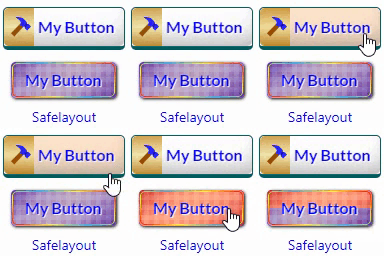
Beautiful CSS buttons in Gutenberg, Elementor & Classic Editor. Call to Action buttons with inline SVGs, click animations, after-click loading.

By Rock Solid Plugins
Speed up WooCommerce and WordPress. Disable WooCommerce Admin, Analytics, Marketing Hub, cart fragments, Gutenberg and other bloat you don't use.
Google Maps with unlimited markers, custom icons, marker categories, clustering and map themes. Gutenberg block, Elementor widget, no coding.

By Tanvirul Haque
Smooth Back To Top button with scroll progress indicator.
Connect ChatGPT, Claude, or another AI agent to your site. Plus backup, malware scan, firewall, stats, CDN, and SEO tools in one plugin.
Easily import any file of any size into any plugin, post type, custom field, or taxonomy. Supports WooCommerce, ACF, images, galleries, users, real es …

By WebSpellChecker
WProofreader checks spelling, grammar, and style in real-time while editing in WordPress.

By Michael Bourne
Add custom icon fonts to the built in Elementor icon controls
CHOOSE WHAT YOUR WEBSITE NEEDS
Start with the task you need to solve. Compare features, WordPress and PHP requirements, update history and the author’s documentation. Test changes on a private copy and avoid adding several plugins for the same job.
This independent directory displays plugin information on WebFulHost and links to the official source. Packages are not mirrored or installed here. A plugin can include paid extensions or services with separate terms from its author.



