

Hide Category by User Role for WooCommerce
By ThemeSupport
This plugin allows you to easily hide WooCommerce categories based on User Role.
★ 4.3/5 (6)300+ active installations
- Version
- 3.0.1
- WordPress
- 6.5+
- PHP
- 8.2+
- Updated
- 29 May 2026
WORDPRESS RESOURCES
Explore public plugin information from the official WordPress.org directory. Compare what a plugin does, its requirements and update history before adding it to your website.
Explore WordPress hosting →10,000 matching plugins reported by WordPress.org · Page 19 of 50
Source: WordPress.org
Data refreshed 20 Nov 2026 20:01 UTC
By ThemeSupport
This plugin allows you to easily hide WooCommerce categories based on User Role.

Display a simple banner/bar at the top or bottom of your website. Now with multi-banner support.
By add-ons.org
The Repeater Fields for Gravity Forms allow you to create one or more sets of fields that can be repeated.

By miniOrange
SCIM User Sync & User Provisioning. Create, delete, update users & automated user sync from Azure AD, Okta, Google Apps & many IDPs into WordPress.
By add-ons.org
PDF Builder for Elementor Forms helps you create custom PDF documents from Elementor Form submissions using a powerful drag-and-drop template builder.

By add-ons.org
The plugin that allows you to create input fields with 6 pre-defined formats or custom as your formats in your Elementor Forms forms
By add-ons.org
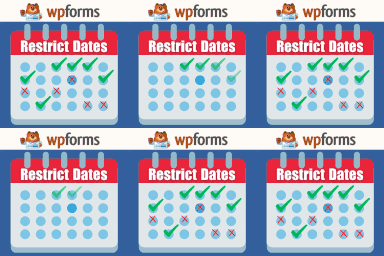
Restrict Dates is a WPForms add-on that restricts users from selecting specific dates in your WPForms date picker field.

By Obtain Infotech
Sync/unsync users from one site (blog) to the other sites (blogs) in your WordPress Multisite Network.

By Gravity Extra
Gravity Forms Klaviyo Add-On seamlessly integrates Gravity Forms with Klaviyo, enabling powerful email marketing automation.

By John James Jacoby
A sophisticated way to edit users in WordPress.

By Robin W
For bbPress - Lets you add ranking and badges to topics, replies, and profiles
By add-ons.org
PDF Builder for Gravity Forms helps you create custom PDF documents from form submissions using a powerful drag-and-drop template builder.
CHOOSE WHAT YOUR WEBSITE NEEDS
Start with the task you need to solve. Compare features, WordPress and PHP requirements, update history and the author’s documentation. Test changes on a private copy and avoid adding several plugins for the same job.
This independent directory displays plugin information on WebFulHost and links to the official source. Packages are not mirrored or installed here. A plugin can include paid extensions or services with separate terms from its author.