Add a social media icon list. Display social icons and social profile links using a widget or a Gutenberg block.
★ 4.1/5 (16)4,000+ active installations
- Version
- 1.4.1
- WordPress
- 5.0+
- PHP
- 7.4+
- Updated
- 20 Aug 2026
WORDPRESS RESOURCES
Explore public plugin information from the official WordPress.org directory. Compare what a plugin does, its requirements and update history before adding it to your website.
Explore WordPress hosting →10,000 matching plugins reported by WordPress.org · Page 19 of 50
Source: WordPress.org
Data refreshed 25 Nov 2026 14:18 UTC
Add a social media icon list. Display social icons and social profile links using a widget or a Gutenberg block.

By WebFactory
Manage 301 & 302 redirects. Simple redirection & redirects validation. Includes redirect stats & 404 error log.
Create unlimited folders with the Folders WordPress plugin, organize & manage your Media Library files, Pages & Posts in folders 📁
By Dominik Fehr
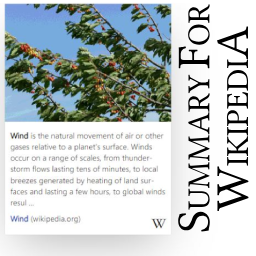
Enhance your site with Wikipedia summary boxes! Offer instant info previews on existing and new Wikipedia links without altering your website code.
A lightweight social sharing plugin for showing social networks when users highlight text, share images, headlines, or use Click to Share.

By edo888
Translate WordPress with Google Translate multilanguage plugin using AI translation. Complete multilingual SEO solution, WooCommerce compatible.
Complete link health monitoring for WordPress. Find broken links, fix redirect chains, optimize internal linking, and improve SEO performance.

By Baptiste Guiraud
AI-powered internal linking recommendations for WordPress. Semantic analysis with OpenAI embeddings and intelligent anchor suggestions via GPT.

By Code Snippets Pro
Manage custom WordPress code in one dashboard. Create PHP and HTML snippets, preview code, track snippet totals and reuse code across sites.

By Share Link Technologies
Automatically manage the addition of ASX Announcements to your website via the Share Link Wordpress plug-in.

By AutoSEO
Automate your SEO content creation and publishing with AI-powered tools. Generate high-quality articles and publish directly to WordPress.

Take control of your content. Restrict any post, page, or custom content based on user roles, login state, or custom rules. No code needed.
CHOOSE WHAT YOUR WEBSITE NEEDS
Start with the task you need to solve. Compare features, WordPress and PHP requirements, update history and the author’s documentation. Test changes on a private copy and avoid adding several plugins for the same job.
This independent directory displays plugin information on WebFulHost and links to the official source. Packages are not mirrored or installed here. A plugin can include paid extensions or services with separate terms from its author.