

Simple Image Widget
By Cedaro
A simple widget that makes it a breeze to add images to your sidebars.
★ 4.5/5 (39)10,000+ active installations
- Version
- 4.4.2
- WordPress
- 4.9+
- Updated
- 20 Jul 2025
WORDPRESS RESOURCES
Explore public plugin information from the official WordPress.org directory. Compare what a plugin does, its requirements and update history before adding it to your website.
Explore WordPress hosting →7,022 matching plugins reported by WordPress.org · Page 19 of 50
Source: WordPress.org
Data refreshed 22 Nov 2026 23:56 UTC
By Cedaro
A simple widget that makes it a breeze to add images to your sidebars.

By Softaculous
The most advanced frontend drag & drop page builder. Pagelayer is a light weight but extremely powerful Website Builder.
Create custom cursors, animated cursor effects, and animated background effects in WordPress with a live preview. No coding required.

By Automattic
A very fast caching engine for WordPress that produces static html files.

All-in-one toolkit for Elementor: advanced addons, theme builder, forms, icons & templates to build stunning sites fast and easy.

By thingsym
Custom Post Type Widgets for the Block Editor (Gutenberg). This WordPress plugin adds default Custom Post Type Widgets to the Block Editor.
By Jory Hogeveen
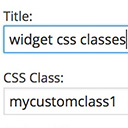
Add custom classes and ids plus first, last, even, odd, and numbered classes to your widgets.

By Jacob N. Breetvelt
This plugin is more than just a photo album plugin, it is a complete, highly customizable multimedia cms and display system.
Audio Player for Elementor – the go-to plugin for adding MP3s, podcasts & playlists. Fully customizable, WooCommerce-ready, and mobile-friendly.

By Elementor
Monitor every change on your WordPress site — who did what, when, and where it came from — for a complete audit trail and stronger security.
Free WooCommerce dashboard & sales report: recover abandoned carts, order export, Google Sheets sync, ROAS, bulk edit & inventory management

By Hidekazu Ishikawa
This plug-in is an integrated plug-in with a variety of features that make it powerful your web site.
CHOOSE WHAT YOUR WEBSITE NEEDS
Start with the task you need to solve. Compare features, WordPress and PHP requirements, update history and the author’s documentation. Test changes on a private copy and avoid adding several plugins for the same job.
This independent directory displays plugin information on WebFulHost and links to the official source. Packages are not mirrored or installed here. A plugin can include paid extensions or services with separate terms from its author.


