Modular WooCommerce toolkit: AI search, cart recovery, wishlist, loyalty rewards, role-based pricing, discounts, AJAX archive and more.
0+ active installations
- Version
- 1.7.1
- WordPress
- 6.9+
- PHP
- 8.0+
- Updated
- 20 Nov 2026
View plugin details ↗Create newsletter signup forms for Mailster with the block editor.
★ 3.5/5 (2)60+ active installations
- Version
- 0.4.1
- WordPress
- 6.0+
- Updated
- 27 May 2024
View plugin details ↗Add Google Preferred Sources buttons to WordPress with official badges, custom CTAs, banners, targeting, click counter, and local analytics.
20+ active installations
- Version
- 1.6.21
- WordPress
- 6.3+
- PHP
- 7.4+
- Updated
- 30 Aug 2026
View plugin details ↗Holds analytics, marketing and embed scripts until your visitor agrees, and keeps a signed record of every choice. Requires a free Attesso account.
0+ active installations
- Version
- 1.0.0
- WordPress
- 6.0+
- PHP
- 7.4+
- Updated
- 4 Aug 2026
View plugin details ↗Lightweight page cache with CSS/JS and media optimization: static HTML served before WordPress loads, safe defaults, no bloat.
0+ active installations
- Version
- 1.1.0
- WordPress
- 6.5+
- PHP
- 7.4+
- Updated
- 16 Nov 2026
View plugin details ↗Recover lost WooCommerce store revenue. Automatically track abandoned carts, capture guest checkouts, and send automated email reminder sequences.
0+ active installations
- Version
- 1.1.1
- WordPress
- 5.8+
- PHP
- 8.0+
- Updated
- 8 Nov 2026
View plugin details ↗Find what slows WordPress down. Not just the score.
0+ active installations
- Version
- 0.52.1
- WordPress
- 5.8+
- PHP
- 7.4+
- Updated
- 1 Sep 2026
View plugin details ↗Fast diagnostics for Action Scheduler queues: review overdue and failed actions, likely sources, WP-Cron, loopback, and REST API health.
0+ active installations
- Version
- 1.0.6
- WordPress
- 6.8+
- PHP
- 7.4+
- Updated
- 20 Nov 2026
View plugin details ↗Add the ParsChat AI chatbot to your WordPress site with one token.
20+ active installations
- Version
- 1.2.2
- WordPress
- 5.0+
- PHP
- 7.4+
- Updated
- 18 Oct 2026
View plugin details ↗Extend Elementor with 68+ widgets, 114 prebuilt demos, Mega Menu Builder, Theme Builder, and advanced interactive effects.
★ 3.8/5 (79)300,000+ active installations
- Version
- 3.3.1
- WordPress
- 5.0+
- PHP
- 7.4+
- Updated
- 7 Nov 2026
View plugin details ↗Page caching that tunes itself. Static HTML cache, adaptive lifetimes, Core Web Vitals fixes and optional AI-assisted analysis.
0+ active installations
- Version
- 1.1.0
- WordPress
- 6.0+
- PHP
- 7.4+
- Updated
- 1 Oct 2026
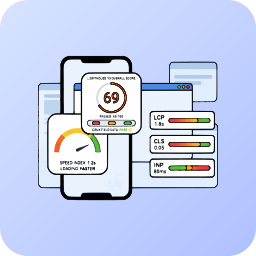
View plugin details ↗Monitor and improve your Core Web Vitals (LCP, CLS, INP) using professional Lighthouse 10 analysis, completely managed via the Mega Plugin Hub.
0+ active installations
- Version
- 2.1.0
- WordPress
- 6.0+
- PHP
- 7.4+
- Updated
- 14 Sep 2026
View plugin details ↗