

The best WordPress contact form plugin. Drag & Drop form builder to create beautiful contact forms, payment forms, & other custom forms.
★ 4.8/5 (14,395)5,000,000+ active installations
- Version
- 2.0.5.1
- WordPress
- 5.5+
- PHP
- 7.2+
- Updated
- 19 Nov 2026
WORDPRESS RESOURCES
Explore public plugin information from the official WordPress.org directory. Compare what a plugin does, its requirements and update history before adding it to your website.
Explore WordPress hosting →4,561 matching plugins reported by WordPress.org · Page 19 of 50
Source: WordPress.org
Data refreshed 21 Nov 2026 01:00 UTC
The best WordPress contact form plugin. Drag & Drop form builder to create beautiful contact forms, payment forms, & other custom forms.

By Blair Williams
The best WordPress membership and user role editor plugin. Edit roles, restrict content, and now manage it all with an AI assistant.
Pro Addons For Elementor is an essential addon for Elementor that provides the Elementor Pro features and functionality for free.

By Syed Balkhi
Display X posts (Twitter tweets) from any public user account in a clean, attractive looking feed that updates weekly.

By jiteshgondaliya
Scroll text horizontally or vertically with tickers, a classic widget, shortcode, block, templates, analytics, and accessible CSS animations.

By Nexcess
The Events Calendar: #1 calendar plugin for WordPress. Create/manage events (virtual too!) on your site with the free plugin.
By porteaudesign
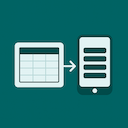
A lightweight Elementor widget for creating responsive tables that stack into mobile-friendly cards.

By Saiful Islam
Display Elementor sections/canvas/templates using shortcode in anywhere of your site.

WP Travel Engine – Elementor Widgets provides 20+ Elementor widgets to create travel and tour booking websites using WP Travel Engine and Elementor.
Lightweight Elementor addon for news, blog & magazine sites with post grids, sliders, tickers, template kits & custom header footer builder.

By Shakibul Islam
See exactly which pages and posts use any Elementor widget — perfect for developers, designers, and agencies doing audits or migrations.

By AuburnForest
Add beautifully designed, customizable blog grids, masonry, and metro layouts to any page using the Elementor page builder — no coding required.
CHOOSE WHAT YOUR WEBSITE NEEDS
Start with the task you need to solve. Compare features, WordPress and PHP requirements, update history and the author’s documentation. Test changes on a private copy and avoid adding several plugins for the same job.
This independent directory displays plugin information on WebFulHost and links to the official source. Packages are not mirrored or installed here. A plugin can include paid extensions or services with separate terms from its author.

