

Dashboard Welcome for Elementor
By IdeaBox Creations
Replaces the default WordPress dashboard welcome panel with custom designed Elementor template.
★ 4.1/5 (23)10,000+ active installations
- Version
- 1.0.11
- WordPress
- 6.3+
- PHP
- 7.4+
- Updated
- 13 May 2026
WORDPRESS RESOURCES
Explore public plugin information from the official WordPress.org directory. Compare what a plugin does, its requirements and update history before adding it to your website.
Explore WordPress hosting →8,145 matching plugins reported by WordPress.org · Page 19 of 50
Source: WordPress.org
Data refreshed 20 Nov 2026 02:03 UTC
By IdeaBox Creations
Replaces the default WordPress dashboard welcome panel with custom designed Elementor template.

By srumery
Display a side tab that you can easily link to any page. Customize the tab text, font and colors. It's that simple. That's Simple Side Tab.

By bruandet
Reclaim your admin dashboard: Get rid of annoying banners, unwanted ads and other nuisances.

By required
Adds MRSS namespace to the feed and uses post-thumbnail as media element in the feed. Settings available under Settings -> Reading.

By Element Invader
Detect Elementor Widgets used on pages, also detect not used Widgets or Missing Widgets.
By Faiz R
Enhance your Elementor Website Builder with Addon Elementor Container Link by adding custom URL or link support to containers, sections, inner section …
By rocketelements
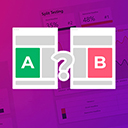
Adds split testing functionality to elementor

By Sheikh Ashrafuzzman
Transform any WordPress block into a fully responsive element with device-specific controls for mobile, tablet, and desktop optimization.

By Michael
With the help of this plug-in you can link you posts or a custom post type detail pages to a normal Elementor page. You can style that Elementor page …

By Noah Hearle
Completely restriction-free Google reviews and rating as Block or Shortcode. Extensive display options; delicious themes; includes Structured Data.

By Albert Peschar
PhastPress automatically optimizes your site for the best possible performance.

By Michael Sablone
Serve clean Markdown versions of WordPress posts, pages, and custom post types for AI agents, LLM tools, and content pipelines.
CHOOSE WHAT YOUR WEBSITE NEEDS
Start with the task you need to solve. Compare features, WordPress and PHP requirements, update history and the author’s documentation. Test changes on a private copy and avoid adding several plugins for the same job.
This independent directory displays plugin information on WebFulHost and links to the official source. Packages are not mirrored or installed here. A plugin can include paid extensions or services with separate terms from its author.