

Organize the WordPress Media Library with drag-and-drop folders. Virtual folders never move files or break URLs, and stay fast with 50,000+ files.
200+ active installations
- Version
- 2.3.0
- WordPress
- 6.0+
- PHP
- 7.4+
- Updated
- 17 Oct 2026
WORDPRESS RESOURCES
Explore public plugin information from the official WordPress.org directory. Compare what a plugin does, its requirements and update history before adding it to your website.
Explore WordPress hosting →593 matching plugins reported by WordPress.org · Page 19 of 50
Source: WordPress.org
Data refreshed 21 Nov 2026 13:32 UTC
Organize the WordPress Media Library with drag-and-drop folders. Virtual folders never move files or break URLs, and stay fast with 50,000+ files.

By Raúl Cerda
Native filters for the Query Loop block: search, sorting, category and tag pills, author and date filters, without page reloads.

By pluginkollektiv
Smart, efficient cache solution for WordPress. Use DB, HDD, Redis or Memcached for storing your blog pages. Make WordPress faster!

By dmccan
Yada Wiki is a simple wiki for your WordPress site.

By BU Web Team
Advanced content editing workflow in WordPress through the use of section editing groups and permissions.

By plusexpert
Create and manage posts simply, with support for featured images, PDF attachments, and recovery of deleted posts via integrated trash.
By David Lingren
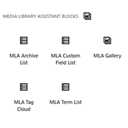
Provides Gutenberg blocks for all shortcodes provided by the popular Media Library Assistant.

By WPEssential
Create custom post types and taxonomies without code. Visual builder for labels, permalinks, REST API, archives, block templates and more.

By maximebj
Design custom field groups in the block editor, fill them in with native WordPress UI, and display them without code through block bindings.

By AiO Podcast Studio
Create, manage, and publish podcasts in WordPress. Import via RSS, organize episodes, and distribute to Apple Podcasts, Spotify, and more.

By smelterstudio
Accessible table of contents with auto-insert, a Gutenberg block, shortcode and widget. Style it with a live preview, in light or dark mode.

By Kristoff Bertram
Duplicate page or post in one click, sortable last modified column, parent and template filters, the URL path under every title, search by slug.
CHOOSE WHAT YOUR WEBSITE NEEDS
Start with the task you need to solve. Compare features, WordPress and PHP requirements, update history and the author’s documentation. Test changes on a private copy and avoid adding several plugins for the same job.
This independent directory displays plugin information on WebFulHost and links to the official source. Packages are not mirrored or installed here. A plugin can include paid extensions or services with separate terms from its author.